Related Blogs

A PAN card is a vital document required for smooth financial transactions and also serves as a valid proof of identity. It is issued by the Income Tax Department of India.
However, while applying for a PAN card, many applicants make common mistakes that can lead to delays or rejection of their application.
In this blog, we will discuss the major reasons for PAN card rejection and explain how you can avoid these mistakes while applying for a PAN card in India.
Here are some of the major reasons for PAN card rejection that most applicants make.
If an applicant provides incorrect information in the PAN card application, there is a high chance that the application may be rejected or delayed.
This includes incorrect personal details such as the applicant's name, email address, mobile number, date of birth, or contact information.
If the applicant's signature does not match the signature on the supporting documents, the PAN card application may be rejected.
Submitting incorrect or incomplete supporting documents is one of the most common reasons for PAN card rejection.
This includes:
There are several ways to avoid PAN card application rejection, such as:
 Also Want to Know About Common PAN Card Application Mistakes to Avoid (2026) Check Now!
A PAN card includes very sensitive information of an individual, such as name, date of birth, address, etc. To fix your PAN card errors, you have two methods: the first is through the online e-KYC method, and the second is through the physical PAN method.
After successful verification, your e-PAN may be sent to your registered email address. The processing time may vary depending on verification by the Income Tax Department.
Have questions? Our experts guide you through every step of the PAN Card Application– no confusion, no delays.
Consult an Expert TodayWhen you are applying for a PAN card reprint, update or correction, then there are a few things which applicant needs to remember, which are:
When you apply for the PAN card, you need to carefully review every detail in the PAN application. It should include your name, date of birth, parents' names, address, and other essential information.
Make sure all the information matches the supporting documents. Any incorrect information in the PAN card application can result in PAN card rejection.
Before submitting the PAN application, review all the information and supporting documents to avoid any errors or mistakes.
Make sure you have provided all the supporting documents for the PAN card application, such as
Ensure that all document copies are self-attested. Attach only the documents relevant to the information you are updating in your PAN card.
Paying fees is one of the most important steps in the PAN card application process for updating details. Pay the fees through a reliable mode of payment, such as a credit card, debit card, net-banking, or UPI.
Checking your PAN application status will provide you with all the necessary details about the progress of your PAN correction application form. You can check the PAN card real-time status through the Income Tax Department website.
Once your PAN card status shows updates, then you can download the e-PAN card through the official Income Tax portal for urgent use.
Applying for a PAN card requires accurate information and valid supporting documents. Verifying all the details before submission can help you avoid delays or rejection of your application.
To reduce the chances of errors, ensure that your personal information matches your supporting documents, upload clear copies of all required documents, and track your application status regularly.
If you need professional assistance, Visament offers end-to-end support for PAN card applications and corrections, helping make the process simpler and reducing the chances of application errors.
For official assistance, you can also contact the PAN card customer care helpline at 020-27218080, available daily from 7:00 AM to 11:00 PM.
Entering incorrect names in the PAN application, not providing all the supporting documents, wrong address, photos, father's name, or spelling mistakes are some of the common errors in your PAN card application.
By going to the official Protean e-GOV technologies portal, you can apply for the e-KYC online update application by providing all the correct details and uploading all the supporting documents.
Here are some of the documents that you will need for your PAN card correction: a copy of the existing PAN card, a filled application form, proof of address, identity proof, a photo, and a digital signature.
Yes, you can track your PAN card correction application status after you get the PAN card application reference number through the official website of the Income Tax Department.
To verify your PAN card, you can go to the official website of the Income Tax e-filing portal, then navigate to the 'verify PAN Status' section and enter all the details such as full name, date of birth, mobile number, and click on the continue button, after that enter the OTP, and by clicking on the validate button, you can verify whether your PAN card is correct or not.
No, you will need to provide additional documents for the PAN card correction application, such as proof of address. verification of identity, proof of date of birth, etc.
Not updating your PAN card can result in the facing complication in various financial and identity purposes.
Vipul Jain is the Co-Founder of Visament, a trusted platform dedicated to simplifying Indian immigration, consular, and NRI services for applicants across the globe. With extensive expertise in OCI cards, Indian passport services, visa assistance, apostille and document legalization,... See Full Bio

Talk to our documentation experts for free guidance on your application.

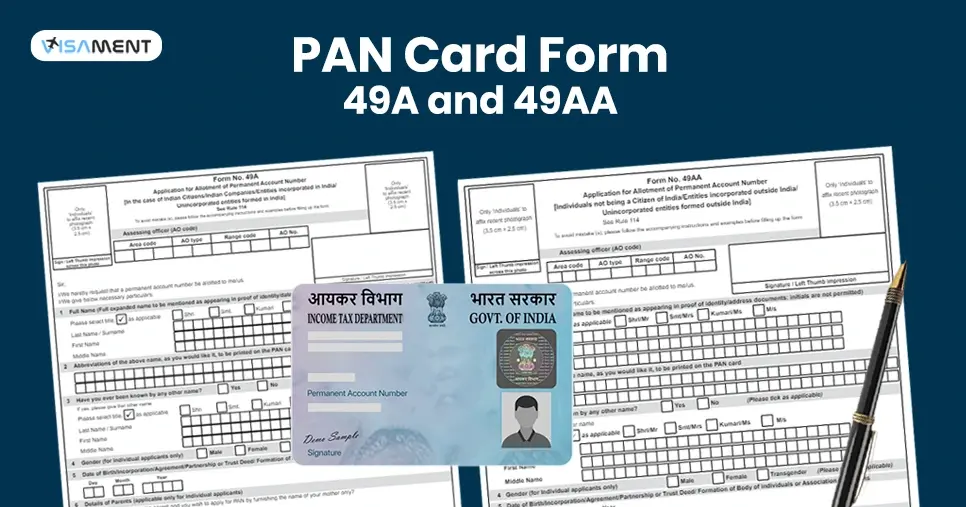


When you visit a website, it may store data about you using cookies and similar technologies. Cookies can be important for the basic operations of the website and for other purposes. You get the option of deactivating certain types of cookies, even so, doing that may affect your experience on the website.
It is required to permit the basic functionality of the website. You may not disable necessary cookies.
Used to provide advertising that matches you and your interests. May also be used to restrict the number of times you see an advertisement and estimate the effectiveness of an advertising campaign. The advertising networks place them after obtaining the operator's permission.
Permits the website to recognize the choices you make (like your username, language, or the region you are in). Also provides more personalized and enhanced features.
Aid the website operator to determine how the website performs, how visitors interact with the site, and whether there are any technical issues.