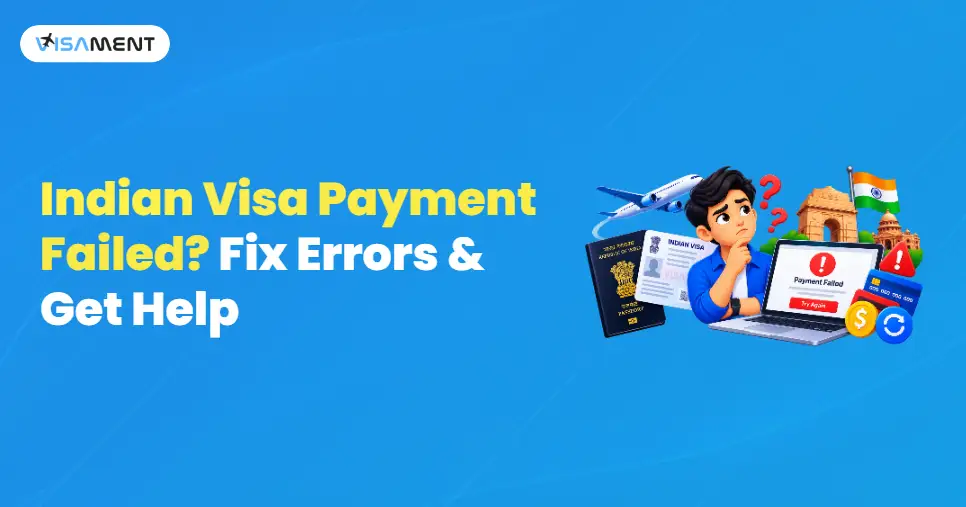
If your Indian e-Visa payment failed, remains pending, or your bank account is debited without confirmation, don't immediately pay again. First, check the payment status on the official Indian e-Visa portal to determine whether the transaction was successful.
The official portal advises applicants to allow up to two hours for payment status updates because of technical or network delays. If your account has been debited but the payment status remains unclear, use the portal's payment verification option and follow the applicable instructions before initiating another transaction.
This guide explains how to check your Indian e-Visa payment status, troubleshoot common payment errors, understand the refund process, and contact the appropriate payment support team.
Key Takeaways
- If your Indian visa payment fails, it doesn't mean your visa application has been rejected.
- Check the payment status before retrying the payment.
- If the amount has been deducted from your bank account, don't make another payment.
- Reasons for Indian visa payment problems include incorrect card details, bank restrictions, and technical issues.
- Use the official Indian Visa portal for online Indian visa payments, and follow all applicable instructions.
What to Do if My Indian Visa Payment Failed?
If your Indian visa payment fails, first check whether your payment status was declined, rejected, or is still pending. Also, check the India visa portal to see whether the status has changed or is reflected there. This will help you know what to do next.
The Indian e-visa portal provides all status updates for your Indian visa online payment. You also need to remember one thing: you need to wait a little while for the payment status to reflect and update online.
Here are the things that you need to check before trying another Indian visa fee payment.
- Go to the official Indian visa website and check your Indian visa payment status.
- Keep your application ID or transaction number safe for future reference.
- Check the official portal to see whether your payment was declined or is pending.
- Confirm your card details before retrying your Indian visa payment.
- If a payment is already pending, wait for it to succeed or receive confirmation before retrying another Indian e-visa payment.
Applicants can check the payment status on the official website by going to Verify Payment/Pay e-Visa fees and checking their online visa fee payment status.
Why Is My Indian Visa Payment Not Working?
Your Indian visa payment may fail for several reasons, such as unavailable payment methods, restrictions on international transactions, or other banking controls.
Card or Banking Restrictions
Bank or card restrictions can cause issues with Indian visa payments. So, closely monitor and confirm the following points before making payment.
- Confirm that you have an active, valid card and that it is not expired.
- Your balance or credit is sufficient.
- You are eligible for international transactions.
- Your transaction limit is below the bank's limit.
- Check that you entered the card details correctly.
These points are also advised by Indian visa payments and help applicants review the conditions before making an online payment.
Authentication or OTP Errors
If you face an authentication error while making a payment or the OTP isn't coming, you may have an issue with your Indian visa payment.
This can happen if you don't receive the OTP, the OTP expires, or you don't complete authentication.
Technical Problems
Many Indian visa online payments fail due to technical glitches and service issues.
If you face this Indian visa payment problem, try clearing your browser history and cookies, checking your internet connection, and attempting the transaction again only after verifying the previous payment status.
Payment Gateway or Connectivity Problems
If you have a poor network connection, the connection between the visa portal and the payment gateway may be interrupted. This can lead to an incomplete Indian visa payment.
Indian Visa Payment Failed, But Money Was Deducted
One of the most common Indian visa payment issues applicants face is when your Indian visa payment status shows failed, but the money is deducted from your bank account. This does not necessarily mean that your payment was successful or that the money is lost. Check the transaction status on the official portal and follow the applicable reconciliation instructions.
In this situation, the applicant should not make another payment if their money has been deducted, but the payment fails on the official Indian e-visa portal.
What Happens to the Deducted Amount?
If your payment for the Indian visa application has been deducted from your bank account, the e-visa guidelines state that your transaction will be rejected for reconciliation.
During reconciliation, an applicable refund may be returned to the original payment method. The time taken to receive the refund depends on the payment provider and bank.
The timing of the refund to your original payment method depends on your bank or card issuer.
So, please refrain from making another payment while one is still pending.
Here's what you need to carry with you:
- Application ID
- Order transaction ID
- Bank transaction ID
- Payment date
- Amount of payment
- Proof of payment, such as screenshots.
These details will help you access all transaction details and track the payment status for your Indian visa application.
What Does "Indian Visa Payment Pending" Mean?
An Indian visa payment marked as pending means that the final transaction status has not yet been confirmed. It does not necessarily mean that the payment has failed or succeeded. So you need to wait for the payment status to change to successful or failed.
According to the Indian e-visa application, it can take up to 2 hours for the payment status to appear. It may also be delayed due to network issues or technical errors.
Here's what you need to do if your payment status is still pending:
- Wait for the payment status to update with the latest information.
- Check if your bank account was charged for the Indian e-visa payment.
- Use the official payment verification option, if available.
- Do not make another payment if the previous transaction is still unresolved.
How Do I Retry Indian Visa Payments Safely?
If your Indian visa payment failed, you can retry the payment; first, make sure the previous payment was unsuccessful.
You can retry the payment once the previous transaction is confirmed as unsuccessful. If the status is still pending or the amount has been deducted, verify the transaction and follow the official instructions before paying again. Also, check what caused the payment failure and resolve the issue.
After that, go back and retry the payment, following the same instructions you used before, according to the visa guidelines.
Difference Between an Indian Visa Payment Failed and Indian Visa Rejected
Indian visa payment failure and Indian visa rejection are different, so here is the clear difference between the two.
| Situation |
Meaning |
| Payment Failed |
It means that your payment transaction is unsuccessful. |
| Payment Pending |
Payment pending means that your transaction is still in process, meaning it is neither successful nor failed. |
| Money deducted but payment not confirmed |
This happens when your money is deducted from your account, but your payment status is not confirmed yet. |
| Payment Successful |
Your payment status was successfully completed.
|
| Visa Rejected |
The visa authority has rejected the visa application. |
If you are facing an Indian visa payment problem, contact the authorized bank or your card-related service provider.
For example, contact your bank if:
- If your card is constantly being declined.
- You cannot complete OTP or 3D Secure authentication.
- If your international transactions are restricted.
- If you have reached your transaction limit.
- When your bank has blocked the transaction for security reasons.
For more help with Indian e-visa problems, contact the helpdesk at +91-022-65361671 for 24/7 support, or dial +91-1800-419-0073 for 24/7 payment helpdesk support.
Remember this: when contacting visa authorities on their helpline number, never share any OTPs, PINs, or passwords with anyone.
How to Avoid Indian Visa Payment Problems?
You can reduce Indian visa payment problems by taking precautions before starting the transactions. Here are the points that you need to follow:
- Always use the official, authorized portal.
- Keep your card or device ready for the OTP verification.
- Do not refresh during the payment processing window.
- Always save your valid transaction details.
- Verify the previous transaction information before initiating a new one.
Note: Per Indian e-visa guidelines, use only the official, authorized website for Indian visa payments. Do not use any unauthorized or third-party website.
What To Do About Regular Indian Visa Payment Problems?
Regular Indian visa payment problems are different from e-visa payment problems.
According to the official guidelines on the Indian visa portal, if your regular Indian visa payment is incomplete or fails, the relevant Indian mission or authorized agency handles it under the applicable guidelines.
This means the Indian mission will help you resolve issues with your regular Indian visa payment. For Indian e-visa payments, use the official Indian e-visa portal, which handles e-visa payment issues and helps you troubleshoot payment-related problems.
Chat to Support on Whatsapp
Stop worrying about delays. Apply now and get Indian Counsellor Services.
Chat Now Final Thoughts
You can resolve an Indian visa payment issue depending on the type of issue you are facing, such as payment failure, pending status, or decline. For every visa payment issue, check the Indian visa payment status before initiating another payment.
Contact the relevant Indian mission to resolve the Indian visa payment error. For online e-visa payment issues, visit the official Indian e-visa portal to check the applicable payment status. For more details and assistance, you can also call the helpline desk at +91-022-65361671 (24/7 support) or +91-1800-419-0073 (24/7 helpline for Indian visa payment issues).


 Also Want to Know About