Related Blogs

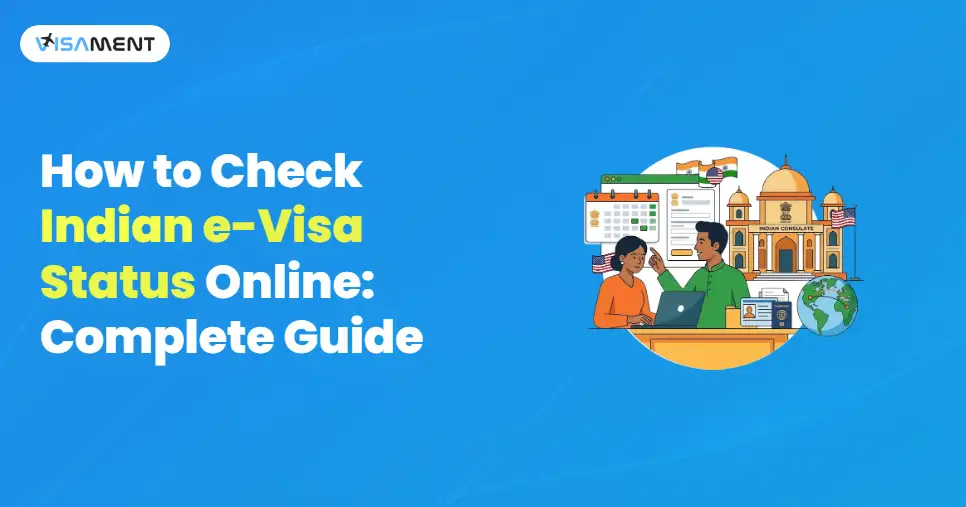
To travel to India, you need a valid Indian visa, and in recent years, the Indian government has taken measures to streamline the visa application process.
So they introduced the e-visa for India, which allows foreign nationals to visit India for tourism, medical, business, or cultural exchange.
However, if you have applied for an Indian e-visa, you must check your application status regularly to avoid errors and to get the estimated delivery time.
In this blog, we will see how to check the status of an Indian e-visa if an individual has applied for it online. Along with this, we will also see what tips you can follow to make the application process smoother and easier.
Quick Link: India Visa Check
If any of the foreign nationals apply for an Indian e-visa, you can track the Indian e-visa status by following the steps for all visa types, such as e-tourist visa, e-business visa, or e-medical visa.
During the Indian visa status check, you will see one of the following terms below:
Here are some tips to help you view the Indian visa check status smoothly.
If you cannot see the Indian visa check status, you can contact the e-visa support services, the Indian mission, or the Indian embassies.
They will help you and provide all the assistance you need for your Indian e-visa application.
The visa processing time in India can vary depending on the country you are applying from, your visa type, and approval by the authorities.
Here are the estimated India visa processing times for some popular countries.
The processing time for most Indian e-visas is generally between 3 and 5 working days.
However, the sticker visas are processed through the Indian embassies or Indian consulates, which takes a long time.
It can take about 10-15 working days to process a sticker visa, depending on the type of visa and the country you have applied to.
 Also Want to Know About Documents Required for Indian e-Visa? Check Now!
Getting your visa application rejected feels very disheartening, but you need to know the reason why your Indian visa online application has been rejected.
After your visa is rejected by the Indian authorities, they will send you complete information, including the reason for rejection, to help you reapply for the Indian e-visa with the correct information.
Here are some common reasons for Indian e-visa rejection.
All applicants who are applying for an Indian e-visa application need to ensure that they provide all the correct documents and details. This will help you to avoid any issues or errors with your E-visa application, and you will get your E-visa without facing any hassle.
If you have applied for the Indian e-Visa application online, then you can check the status of your Indian e-Visa application easily from the official e-Visa portal. Regularly checking your e-visa status can help you avoid issues and receive real-time updates on your application.
If you have any issues with the Indian online visa check, you can contact the Indian mission, embassy, or the Indian e-visa support team.
To simplify your e-visa application, Visament can also help reduce the chances of rejection and delays. At the Visament, we have years of experienced experts who know all the application processes and documentation. Under their guidance, you will get your Indian e-visa within the given processing time.
For more details on the Indian e-visa, you can contact the Visament support team, which will help you with an instant solution to your queries and issues.
No, you can track your Indian e-visa application status with your passport number. You do not need the application ID to check the status of your Indian e-visa application.
When your Indian e-visa is approved, you will get an email with a PDF of the Electronic Travel Authorization (ETA).
If you made an error in your e-visa application, you can correct it if you haven't submitted it. However, if you have submitted your application, you cannot edit it and will need to reapply with the correct information and documents.
You can apply for the Indian e-visa up to 2 weeks before your travel date.
You can check the immigration status of an e-visa India on the Indian e-visa portal by entering your passport number or application ID.
Providing all the correct information and documents in your Indian e-visa application can help you to get your E-visa quickly.
Vipul Jain is the Co-Founder of Visament, a trusted platform dedicated to simplifying Indian immigration, consular, and NRI services for applicants across the globe. With extensive expertise in OCI cards, Indian passport services, visa assistance, apostille and document legalization,... See Full Bio

Talk to our documentation experts for free guidance on your application.

When you visit a website, it may store data about you using cookies and similar technologies. Cookies can be important for the basic operations of the website and for other purposes. You get the option of deactivating certain types of cookies, even so, doing that may affect your experience on the website.
It is required to permit the basic functionality of the website. You may not disable necessary cookies.
Used to provide advertising that matches you and your interests. May also be used to restrict the number of times you see an advertisement and estimate the effectiveness of an advertising campaign. The advertising networks place them after obtaining the operator's permission.
Permits the website to recognize the choices you make (like your username, language, or the region you are in). Also provides more personalized and enhanced features.
Aid the website operator to determine how the website performs, how visitors interact with the site, and whether there are any technical issues.