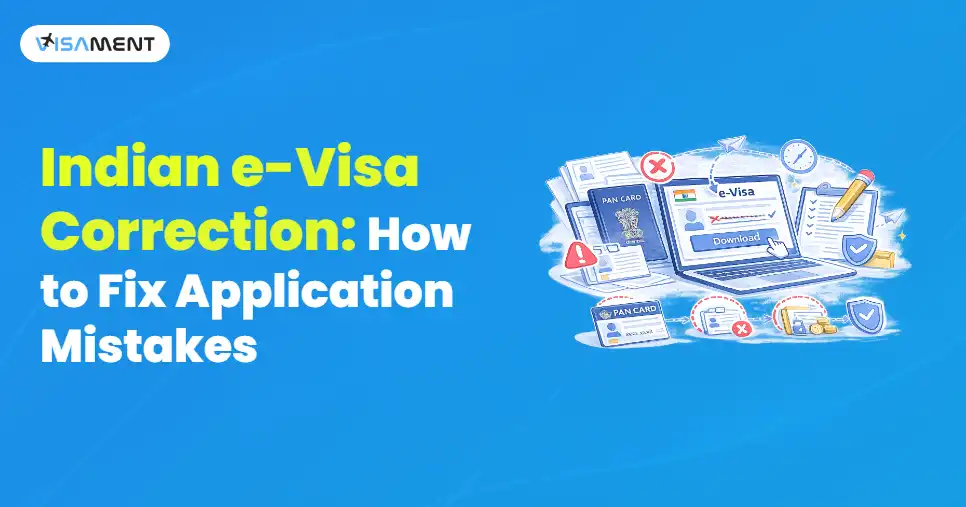
A small mistake on your Indian e-Visa application can delay your travel plans or even result in visa rejection. Since the Indian e-Visa is electronically linked to your passport, incorrect details such as your name, passport number, or date of birth may prevent you from boarding your flight or entering India.
This blog explains the most common Indian e-Visa mistakes, whether they can be corrected after submission, and what you should do if you've already submitted an application with incorrect information.
Key Takeaways
- Review your visa application carefully before submitting it.
- Correct all the errors before paying the fees and submitting the application.
- Major details usually cannot be changed after submission.
- You can contact the e-Visa support officials if you spot a mistake.
- You can reapply with all the correct details if corrections are not allowed.
- Apply well in advance to allow time for any corrections or reapplication.
Can You Correct an Indian e-Visa After Submission?
No. Indian e-Visa applications generally cannot be edited after they have been submitted and the visa fee has been paid. If you discover a mistake after submission, the available solution depends on the type of error. Minor issues may require contacting the Indian e-Visa Help Desk, while major errors such as incorrect passport details, name, or date of birth—usually require submitting a new application.
This is how the Indian e-Visa application works:
- Before paying the fees, you can review and correct any errors.
- After you have paid the fees and submitted the form, it will be locked, and you will be unable to make any corrections.
- After you have submitted the passport information, there is no way to change the details.
- If you find an error after submitting the application, your options depend on the type of error and how quickly you act.
The Indian e-Visa is linked electronically to your passport. Your visa is verified along with your passport at various points before you travel. In case of a mismatch, you may have to face serious issues.
Since the e-Visa process is mostly automated, it can lead to rejection even for the smallest of errors. Hence, it is necessary to check each aspect before submission.
A mismatch or wrong information can lead to:
- Airlines denying boarding for your flight
- Immigration officials denying entry upon arrival
- In case of a visa rejection, you might be asked to reapply
- Financial loss due to last-minute changes or cancellations
Common Indian e-Visa Application Mistakes to Avoid
By knowing the common errors, you can get early alerts to problems and reduce the risk of future applications.
1. Incorrect Passport Details
- The most common reasons for visa rejections include mistyped numbers, names or expiry dates.
- Similar letters such as "o" and "0" can cause errors.
2. Name or Date of Birth Mismatch
- You must provide your real name exactly as it appears in the passport in the correct sequence of first, middle and last name.
- You must ensure the spelling of your name is correct.
- Even an incorrect first or middle name or a wrong date of birth can lead to unwanted issues at immigration.
3. Choosing the Wrong Indian e-Visa Type
- Your visa can be cancelled if you apply for a tourist e-visa for a business, medical or conference visa.
- It is necessary to select the right category.
4. Entering Incorrect Travel Information
- Entering incorrect arrival dates, port of entry or duration of stay should lead to visa rejection or questioning at immigration.
5. Uploading Documents That Don't Meet Indian e-Visa Requirements
- Your application may be rejected due to blurry passport scans, incorrect photo dimensions, unsupported file formats, or incomplete document uploads. It is equally important to follow the official Indian e-Visa Photo Requirements, including the correct photo size, plain background, recent appearance, and accepted file format. Uploading clear and compliant documents helps prevent unnecessary processing delays or rejection.
Just a minute!
Start your Indian Visa application in under 5 minutes.
- No embassy visits required
- Eligibility check & document guidance
- Instant application submission
Apply Now How to Correct Mistakes on an Indian e-Visa Application?
You cannot directly edit details on your e-Visa. However, there are still effective ways to address errors.
1. Identify the Errors Immediately
- When you spot an error, you must indicate precisely where the error is.
- Errors such as Date of birth, name and passport number are critical ones that require immediate attention.
2. Contact Indian e-Visa Help Desk
- If you have recently filed your application, you must immediately reach out to the Indian e-Visa officials.
- You must share:
- Your application reference number
- A valid explanation of the error
- The correct information
- Scanned copies of your passport
- Chances of correction are less, but communicating at an early stage can improve the chances of receiving assistance.
3. Reapply with Correct Information
- In most cases, especially for serious errors, the best and easiest way is to apply a new e-Visa application providing the correct information.
- When reapplying, keep the following things in mind.
- You must use your passport as a direct reference.
- You must verify the application before submission.
- Make sure you upload documents exactly as per the guidelines.
- Keep in mind to apply early before your trip.
- You might be required to pay the Visa Fee once more. However, it is better than a visa denial.

Also Want to Know About
Best Time to Visit India Check Now!
How to Check Your Indian e-Visa Status After Reporting an Error
If you discover a mistake after submitting your application, you should regularly check your Indian e-Visa status to stay updated on its progress. In some cases, the authorities may request additional documents or clarification before making a decision. If your application is rejected because of incorrect information, submitting a new application with accurate details is usually the quickest way to continue your travel plans.
Conclusion
Providing wrong information in an Indian e-Visa can be stressful. However, this can also be easily taken care of by acting quickly, knowing your options and avoiding the same mistakes once again. You must always remember that an accurate and careful review at the time of application saves time, money and unnecessary stress later. The best way to have a successful and enjoyable journey is to start the application process early, before the date of your journey.
If you have any issues or doubts regarding Indian e-Visa correction, you can contact the experts at Visament. They are trained professionals who can help you with your doubts and queries or even help you out with the correction process.