Related Blogs

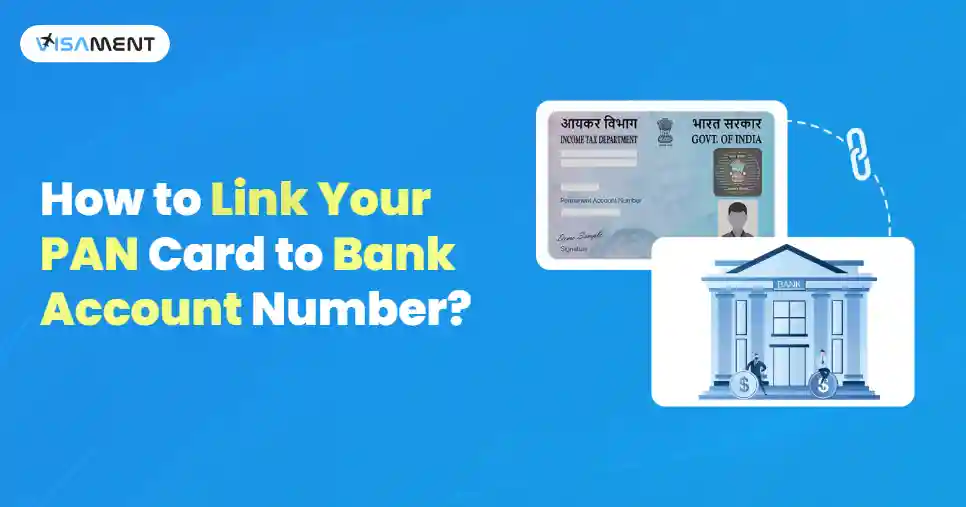
Linking your PAN card with your bank account is essential for conducting high-value transactions, receiving tax refunds, and maintaining up-to-date KYC compliance in India. Most Indian banks allow their customers to complete the process digitally within a few working days.
In this guide, we will understand PAN card bank account linking, the required documents, and both online and offline methods. Along with some tips to keep in mind to complete the process in compliance.
You can link your PAN card to a bank account online via internet banking or mobile banking, or by contacting customer care. Depending on your bank, the exact interface may vary, but the overall process remains the same.
Here's a step-by-step guide for all 3 methods for updating your PAN in a bank account.
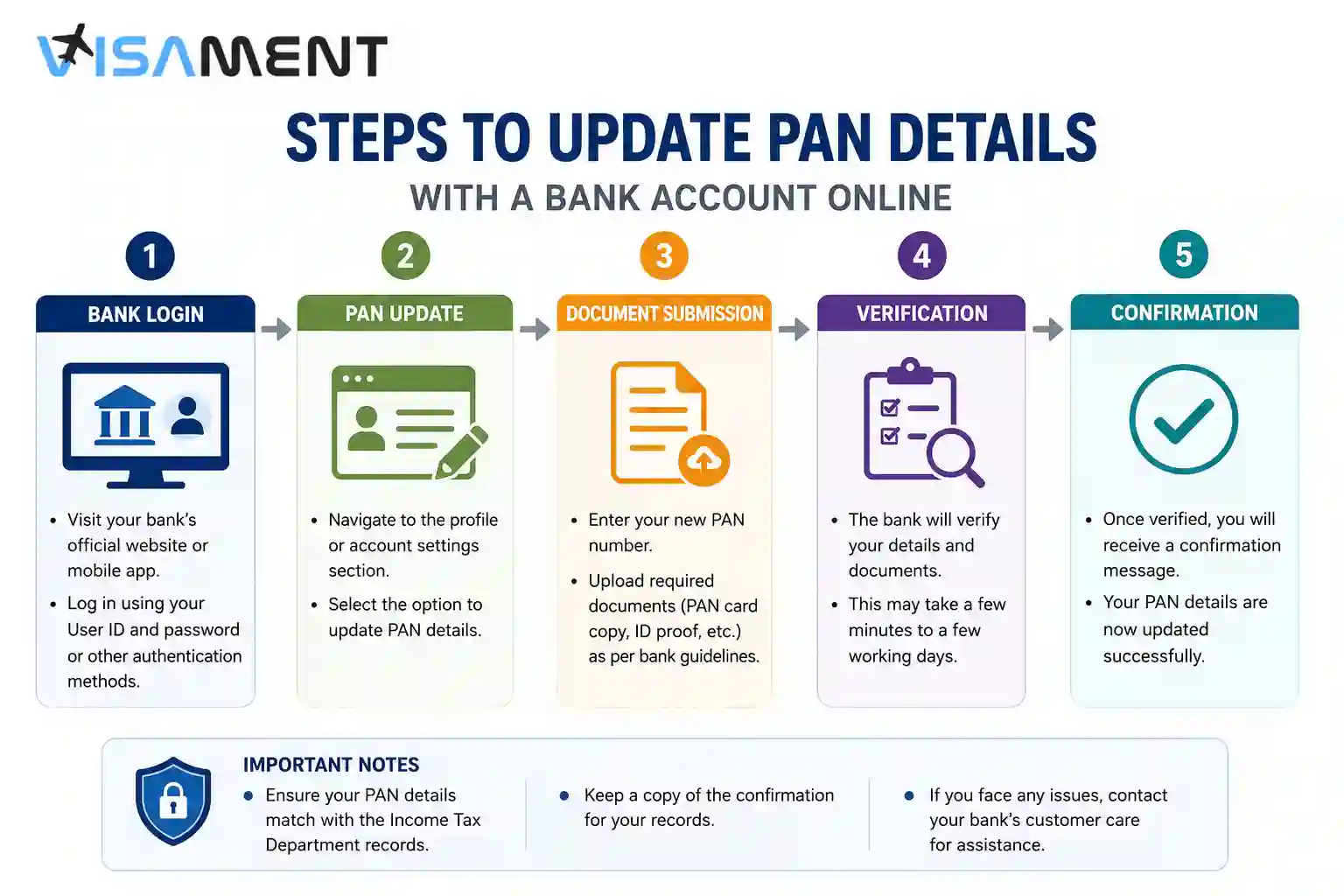
To link your PAN to your bank account through internet banking, follow these general steps.
To link your PAN card to your bank account through the mobile banking application, follow these general steps.
A few recognized banks allow their customers to initiate a PAN update request through customer support. Follow the general steps to do so.
It takes around two working days for the online linking process to be reflected in your bank records.
Have questions? Our experts guide you through every step of the PAN Card Services– no confusion, no delays.
Consult an Expert TodayLinking your PAN card to your bank account offline can be done at your bank branch. Follow the general steps to do so:
Step 1: Visit the home branch of the bank where your account is maintained.
Step 2: Request a PAN/KYC Update Form. Ask the bank representative for:
Next up: fill in the details.
Step 3: Check the filled form for accuracy, then submit it with a self-attested copy of your PAN Card and any other required documents (discussed later in the blog).
Step 4: Next up, you may also need to submit a letter to the branch manager requesting that your PAN card be linked to your Indian bank account.
Step 5: After successful verification, your bank will update your PAN card details.
The requirements can differ between banks and customer situations. You should generally have the following information available:
| Information/document | Why it may be required |
|---|---|
| PAN or accepted PAN document/e-document | Identifies your tax record |
| Bank account number | Identifies the account to be updated |
| Customer ID/CIF, where applicable | Helps the bank identify your customer profile |
| Identity/KYC documents | May be required for verification |
| Registered mobile number | May be used for OTP or authentication |
| Registered email address | May be used for communication or verification |
| Bank-specific form | May be required for an offline update |
When you link your PAN with your bank account, it provides several benefits, such as.
Yes, you can link one PAN card with multiple bank accounts in your name.
However, this is common for individuals who maintain:
NRIs with Indian bank accounts should follow the PAN and KYC requirements applicable to their account type and their bank's current procedures.
An NRO account is among the account types that the Income Tax Department currently lists as eligible for bank-account pre-validation for refund purposes, subject to the applicable requirements.
For NRE or NRO accounts, check the bank's specific requirements before submitting a PAN update. Do not assume that the procedure for a resident savings account is identical to the procedure for an NRI account.
The following is the process for linking PAN to popular bank accounts. The interface may differ, but the overall process remains the same.
There is no single public PAN-bank lookup service that works for every bank.
You can generally confirm the update by:
Before you start the process, verify the following.
To link your PAN card with a bank account, first determine whether you need to update your PAN in the bank's records or validate the bank account for an income tax refund. Bank-side PAN updates follow the individual bank's procedure, while the Income Tax e-Filing portal provides a separate My Bank Account service for adding and pre-validating eligible accounts.
If validation fails, check your PAN, name, account number, IFSC, KYC information, and registered contact details before requesting re-validation. Most importantly, keep PAN-bank updating separate from PAN-Aadhaar linking, because they serve different purposes.
You can easily link your PAN card to your bank account by using the bank's net banking online services on the portal or the mobile banking app.
You can check which bank account number is linked to your PAN card by visiting and logging in to the income tax e-filing portal. Then check your bank account number showing under the Profile section.
No, your PAN card will not automatically be linked to your bank account. You need to do it manually. You should link your PAN card with your bank account by using the net banking portal of the bank.
Yes, you should link all of your bank accounts with your PAN card. It will help you in conducting many financial transactions, like opening an FD account, depositing more than Rs 50,000 in the account, or avoiding higher TDS deductions, etc.
No, a PAN card is not a mandatory requirement to open a bank account. You can open a bank account by providing any government-recognised identity and document for address proof.
If your PAN is not linked to a bank account, you will face more TDS/TCS deductions on interests and transactions, and you cannot deposit more than Rs 50,000 cash. Your account may face some KYC issues.
For an income tax refund through the e-Filing system, the bank account needs to be linked with PAN and successfully pre-validated before it can be nominated for the refund.
The Income Tax Department currently states that the automatic pre-validation status is updated in the e-Filing account within 10–12 working days after submission. This is the e-Filing bank-account validation timeline and should not be treated as a universal timeline for updating PAN at a bank.
A difference between your PAN details and the information held by the bank can cause problems. Check your PAN number, name, account information, KYC status, and registered contact details, then ask the bank to correct any inconsistent records.
Yes, NRI customers can provide or update PAN information for applicable Indian bank accounts, subject to the bank's KYC and account-specific requirements. NRO accounts are also included among the account types the Income Tax Department currently permits for refund-related bank-account pre-validation.
Vipul Jain is the Co-Founder of Visament, a trusted platform dedicated to simplifying Indian immigration, consular, and NRI services for applicants across the globe. With extensive expertise in OCI cards, Indian passport services, visa assistance, apostille and document legalization,... See Full Bio

Talk to our documentation experts for free guidance on your application.


When you visit a website, it may store data about you using cookies and similar technologies. Cookies can be important for the basic operations of the website and for other purposes. You get the option of deactivating certain types of cookies, even so, doing that may affect your experience on the website.
It is required to permit the basic functionality of the website. You may not disable necessary cookies.
Used to provide advertising that matches you and your interests. May also be used to restrict the number of times you see an advertisement and estimate the effectiveness of an advertising campaign. The advertising networks place them after obtaining the operator's permission.
Permits the website to recognize the choices you make (like your username, language, or the region you are in). Also provides more personalized and enhanced features.
Aid the website operator to determine how the website performs, how visitors interact with the site, and whether there are any technical issues.