Related Blogs

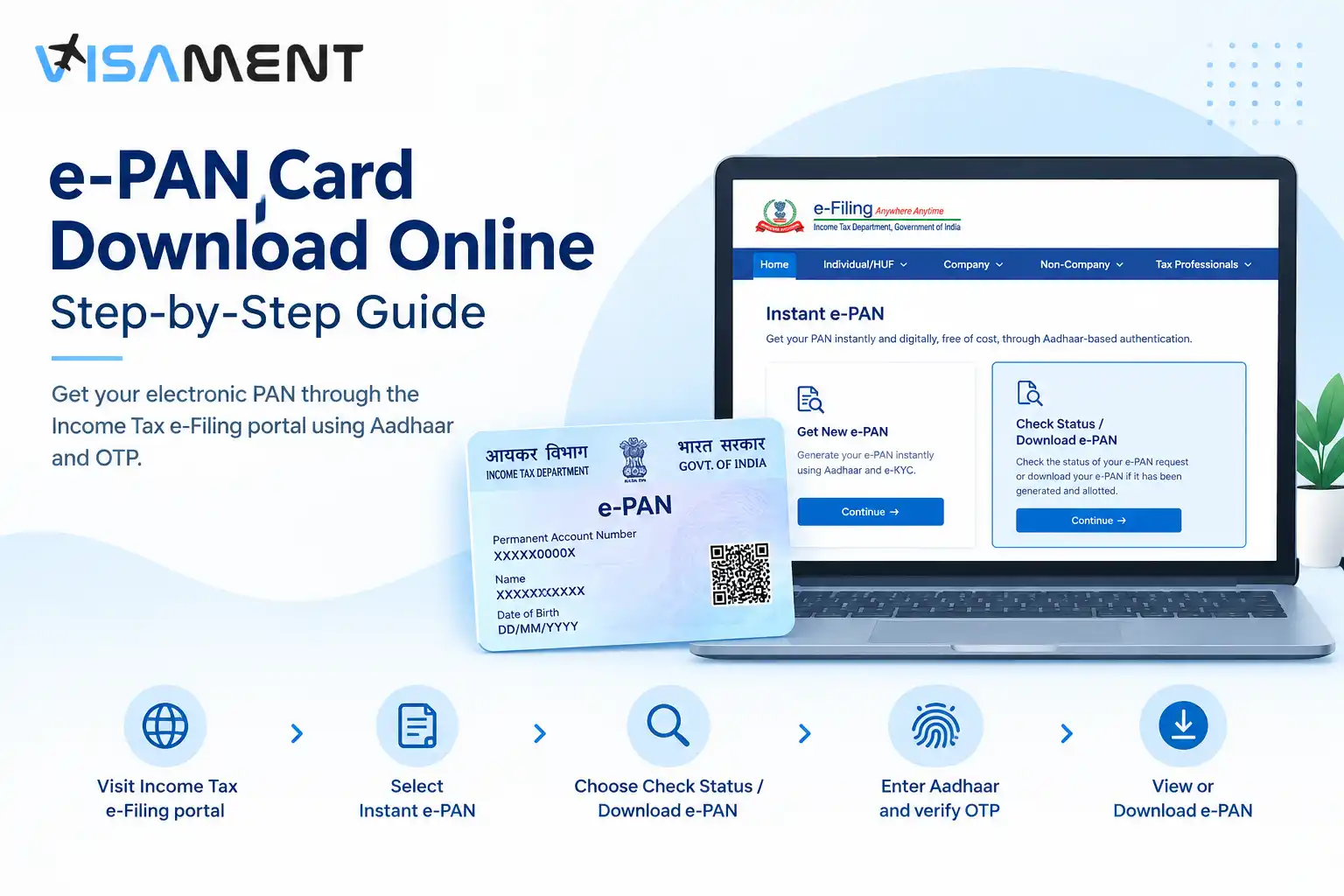
Need a digital copy of your PAN card? You can download an e-PAN online through the Income Tax e-Filing portal. The portal provides a pre-login option to check your e-PAN request and download the document after Aadhaar-based OTP verification. You can also download it after logging in to your e-Filing account.
This guide explains both methods, what you need before starting, what to do if your request is pending, and why you should not use Instant e-PAN to apply for another PAN if you already have one.
Quick Official Links:
Instant e-PAN through Income TAX Portal
An e-PAN is a digitally signed PAN issued in electronic form. It provides a digital version of your PAN details that can be viewed or downloaded through the Income Tax e-Filing system.
The e-PAN service is particularly useful if you need an electronic copy of your PAN instead of relying on a physical PAN card. However, downloading an e-PAN and applying for a new PAN are different tasks. The Income Tax Department's Instant e-PAN service allows eligible individuals without an existing PAN to obtain one electronically, while the Check Status / Download e-PAN option is used to access an e-PAN after it has been generated and allotted.
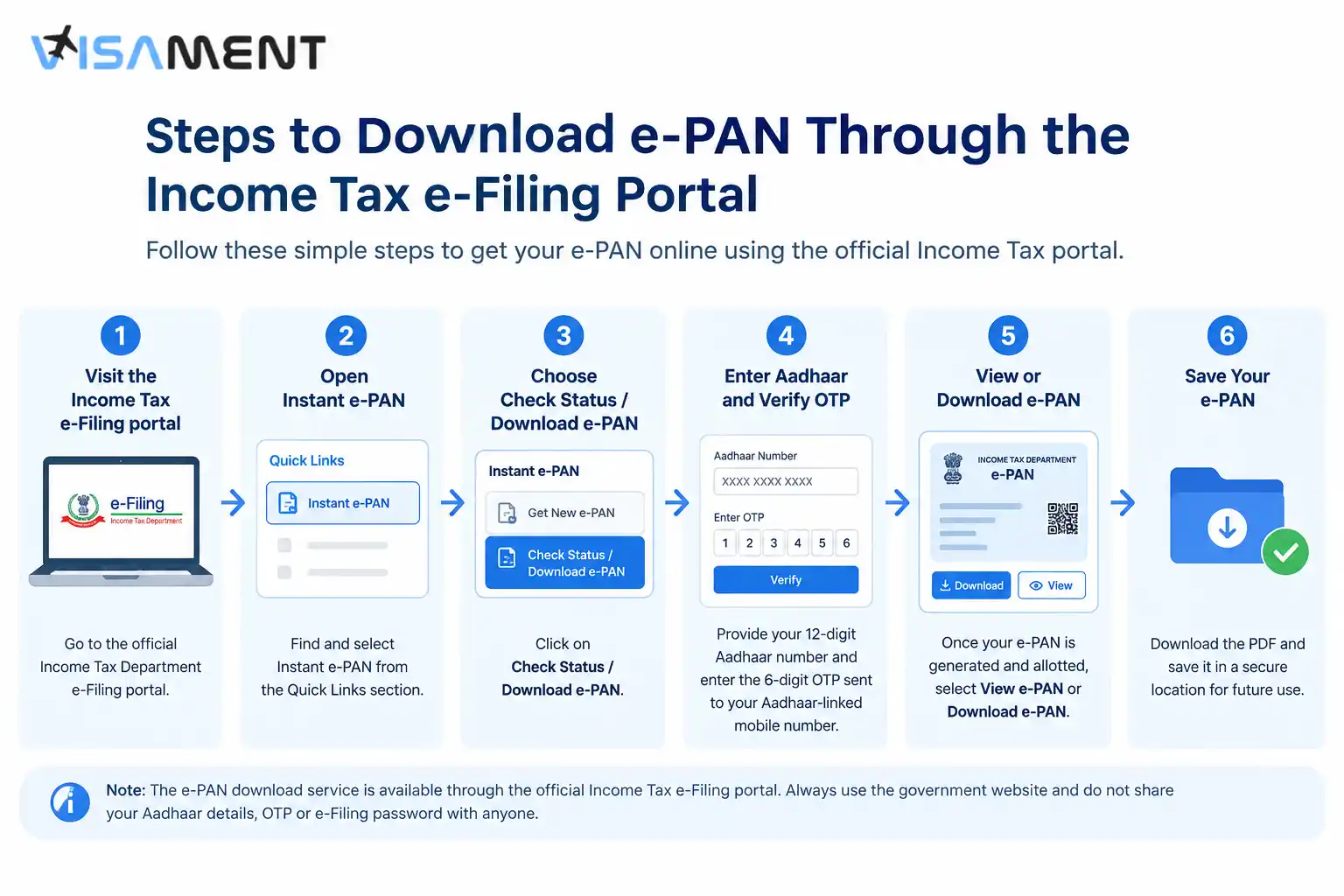
If you have submitted an Instant e-PAN request and the PAN has been generated and allotted, you can use the Income Tax e-Filing portal to view or download the e-PAN. The portal provides a pre-login option for checking the request status and downloading the document.
There is an important distinction, however. Instant e-PAN generation is not available to someone who already has a PAN allotted. The Income Tax Department also lists other eligibility conditions for generating a new Instant e-PAN, including having a valid Aadhaar linked to an active mobile number. Current guidance also refers to access to DigiLocker for the Instant e-PAN generation process.
If you already have a PAN and simply need an electronic copy, do not submit another request for a new PAN. Use the appropriate PAN service for your situation instead.
The simplest route is the pre-login Check Status / Download e-PAN service on the Income Tax e-Filing portal.
Go to the official Income Tax Department e-Filing portal. Avoid websites that claim to provide an e-PAN download while asking you to share your Aadhaar details, OTP or e-Filing password.
The Income Tax Department lists Instant e-PAN among its pre-login services, meaning you can access the relevant service without first logging into your account.
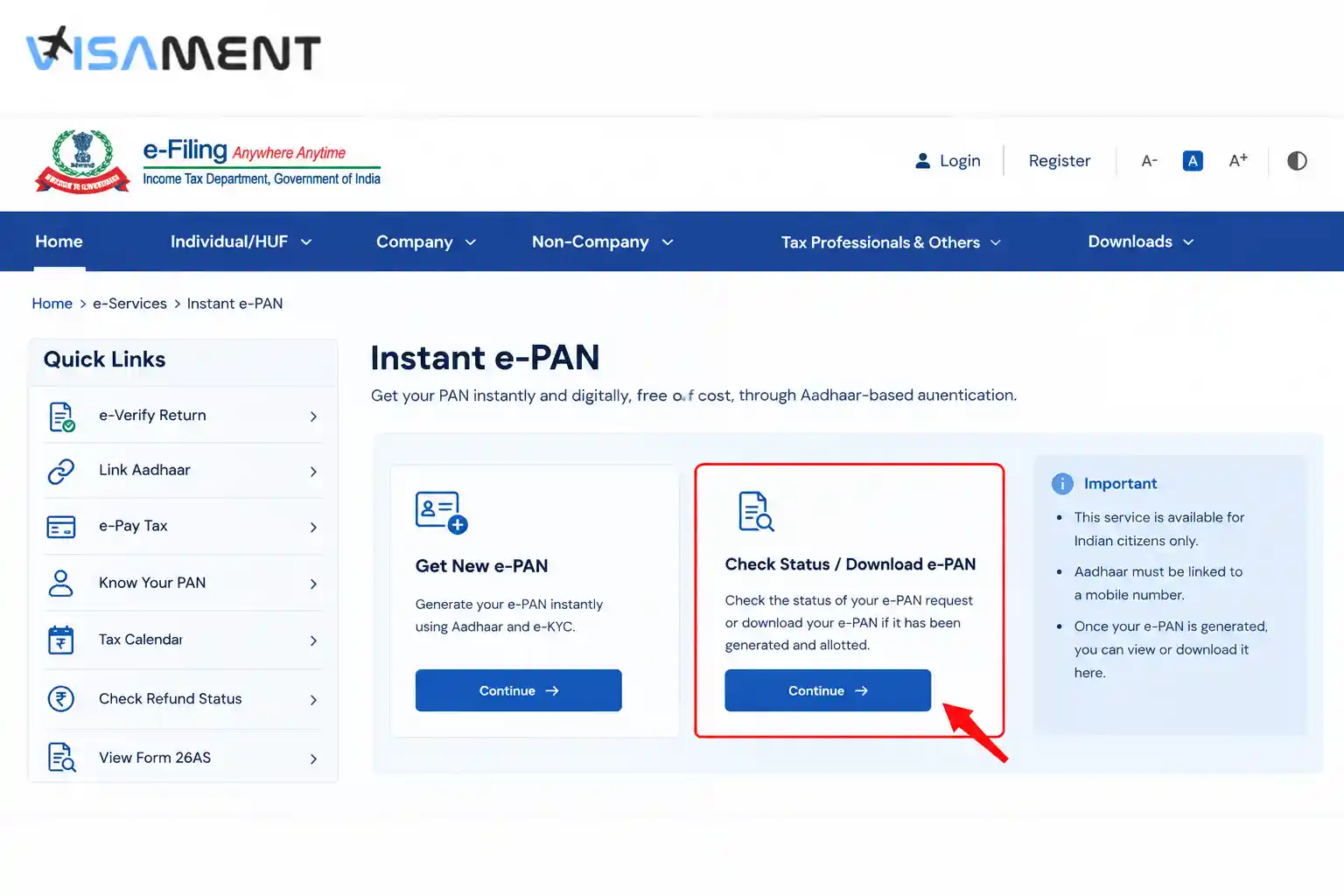
On the e-Filing portal homepage, open Instant e-PAN from the available Quick Links.
The Instant e-PAN page contains separate options for obtaining a new e-PAN and checking the status of an existing request. For downloading an already-generated e-PAN, use the Check Status / Download e-PAN option rather than Get New e-PAN.
Select Continue under the Check Status / Download e-PAN option.
The service will ask you to enter the Aadhaar number associated with your e-PAN request.
Enter your 12-digit Aadhaar number and continue.
An OTP will be sent to the mobile number registered with your Aadhaar. Enter the 6-digit OTP on the verification screen and continue.
According to the current Income Tax Department user manual, the OTP is valid for 15 minutes, and you have three attempts to enter the correct OTP. If necessary, you can request a new OTP using the resend option.
After successful verification, the portal displays the current status of your e-PAN request.
If your e-PAN has been generated and allotted, you can select View e-PAN to see the document or Download e-PAN to download a copy.
Save the downloaded file in a secure location so you can access it when you need an electronic copy of your PAN.
You can also download your e-PAN after registering and logging in to the Income Tax e-Filing portal.
Follow these steps:
The Income Tax Department states that users need to register on the e-Filing portal before they can log in. The post-login route therefore makes sense for people who already have an e-Filing account or want to create one after receiving their e-PAN.
Have questions? Our experts guide you through every step of the PAN Card Application – no confusion, no delays.
Consult an Expert TodayIf you cannot see the download option, first check the current status of your e-PAN request. The download option is available when the e-PAN has been generated and allotted.
Common situations include:
|
Problem |
What to check |
|---|---|
|
e-PAN is not available |
Check whether the request has been generated and allotted |
|
OTP is not received |
Confirm that the mobile number is linked with Aadhaar |
|
OTP has expired |
Request a fresh OTP and complete verification within the validity period |
|
Incorrect OTP entered |
Check the latest OTP and avoid repeated incorrect attempts |
|
Aadhaar is already linked to PAN |
Do not apply for another Instant e-PAN |
|
You need a physical replacement |
Look for the appropriate PAN reprint/reissue service rather than treating it as an e-PAN download |
If the request is still pending, checking the PAN Card status again through the official Check Status / Download e-PAN service is more appropriate than submitting another PAN request. The official user manual specifically provides this status-checking route.
For issues involving incorrect PAN or Aadhaar information, use the appropriate PAN correction or Aadhaar-related service rather than attempting to generate another PAN.
No. The Instant e-PAN service is not intended for an individual who has already been allotted a PAN. The Income Tax Department explicitly lists an existing PAN as a reason for ineligibility for Instant e-PAN.
This distinction matters if you have lost your physical PAN card. Losing the physical card does not mean you should apply for another PAN. If you already have a PAN, use the relevant facility to access your existing PAN information or obtain a replacement physical card when necessary.
The Income Tax Department states that the Instant e-PAN service is free of cost. The official service allows eligible users to obtain an electronic PAN and provides the facility to check the request status and download the e-PAN.
Be cautious of websites that claim you must pay an unofficial fee simply to access the government e-PAN service.
Because PAN and Aadhaar are sensitive financial and identity-related information, use care when downloading or storing your e-PAN.
The official Income Tax Department guidance provides the download facility directly, so an unofficial website is not necessary for completing the basic download process.
Before starting, make sure you have:
If you are trying to generate a new Instant e-PAN rather than download an existing one, check the separate eligibility requirements first. Current Income Tax Department guidance includes Aadhaar, an Aadhaar-linked mobile number and access to DigiLocker among the prerequisites for the Instant e-PAN service.
Downloading an e-PAN is a straightforward online process when the PAN has already been generated and allotted. The official Income Tax e-Filing portal provides both a pre-login Check Status / Download e-PAN route and a post-login View / Download e-PAN option. Aadhaar-based OTP verification is required, and the download option becomes available once the e-PAN is generated and allotted.
If you already have a PAN, do not apply for another one simply because you need an electronic copy. Use the appropriate service for accessing or replacing your existing PAN, and always verify current instructions on the official Income Tax Department portal before submitting personal information.
Open the Income Tax e-Filing portal, select Instant e-PAN, choose Check Status / Download e-PAN, enter your Aadhaar number, complete OTP verification and select Download e-PAN once the PAN has been generated and allotted.
Yes. The Income Tax Department provides a pre-login Check Status / Download e-PAN facility. You can use your Aadhaar number and the OTP sent to your Aadhaar-registered mobile number to check the request and download the e-PAN when it is available.
Yes. After registering and logging in, go to Dashboard → Services → View / Download e-PAN, enter your Aadhaar number and complete OTP verification.
The Income Tax Department states that its Instant e-PAN service is free of cost.
No. An individual who has already been allotted a PAN is not eligible to use Instant e-PAN to obtain another PAN.
Use Instant e-PAN → Check Status / Download e-PAN to check the current status. Once the e-PAN has been generated and allotted, the portal provides the option to view or download it.
Vipul Jain is the Co-Founder of Visament, a trusted platform dedicated to simplifying Indian immigration, consular, and NRI services for applicants across the globe. With extensive expertise in OCI cards, Indian passport services, visa assistance, apostille and document legalization,... See Full Bio

Talk to our documentation experts for free guidance on your application.
PAN Card 2.0: New Features, Benefits and What Existing Holders Need to Know
PAN Card for NRIs: Eligibility, Documents and How to Apply
PAN Card Status: How to Track PAN Application Status Online?
Minor PAN Card: How to Apply, Documents Required and Process
Business PAN Card: Eligibility, Documents & How to Apply


When you visit a website, it may store data about you using cookies and similar technologies. Cookies can be important for the basic operations of the website and for other purposes. You get the option of deactivating certain types of cookies, even so, doing that may affect your experience on the website.
It is required to permit the basic functionality of the website. You may not disable necessary cookies.
Used to provide advertising that matches you and your interests. May also be used to restrict the number of times you see an advertisement and estimate the effectiveness of an advertising campaign. The advertising networks place them after obtaining the operator's permission.
Permits the website to recognize the choices you make (like your username, language, or the region you are in). Also provides more personalized and enhanced features.
Aid the website operator to determine how the website performs, how visitors interact with the site, and whether there are any technical issues.