Passport & Consular Services

How to Schedule & Reschedule Passport Appointment?

autohr img
By Vipul Jain
Updated on: 02 Mar, 2026 | Editorial Standard | 6 min read |

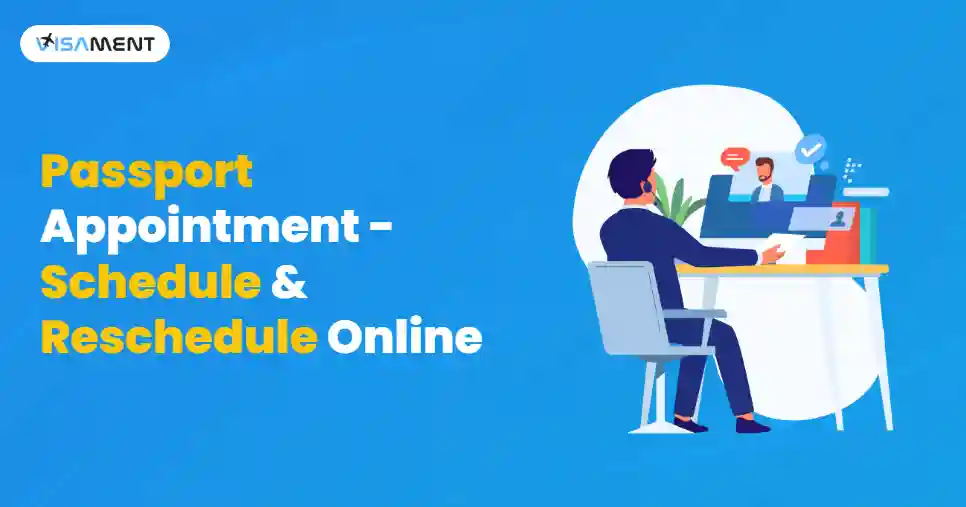
Passport Appointment Schedule & Reschedule Online

Applicants can book, cancel, or reschedule passport appointments on the Passport Seva Portal. It is important to know the process of rescheduling your pasport appointemts to that you can ensure flexibility for the applicants who cannot attend on the specific date. 

Key Takeaways 

  • You can only reschedule your passport appointment two times within one year of the first appointment date for that ARN.
  • You can change the time and date while rescheduling the appointment. To change the location of PSK, you need to cancel and rebook.
  • The Tatkaal Scheme offers a faster process by paying a higher fee. The options for rescheduling are limited in this situation.
  • Keep your documents ready, including the original proof of identity, address, and date of birth.

Where To Book a Passport Appointment?

The passport appointments in India are only booked through the official portal of Passport Seva Kendra, which is managed by the Ministry of External Affairs (MEA).

  • Applicants need to create a login ID. Fill out the passport application form and then schedule an appointment at the nearest office of the Passport Seva Kendra (PSK) or Post Office Passport Seva Kendra (POPSK). 
  • This is the only authorised platform for the scheduling, cancelling, or rescheduling of passport appointments. 

How to Schedule a Passport Appointment Online?`

The online process of booking a passport appointment is very simple and easy, and it can be completed in a few minutes.

  1. Visit the Passport Seva Portal and log in to the website.
  2. Select the Passport Seva Kendra where you want to complete the appointment. It is dependent on the region you live in or the jurisdiction.
  3. Choose the service you require, such as reissue or renewal of your passport.
  4. Enter the required information, such as name, address, and the details of your contact information.
  5. After entering your details, the times for the available appointment slots will be shown on the screen. Choose the date and time that suits you the best.
  6. Proceed with the payment as per the passport fee by using the secure online payment gateway.
  7. You will get a confirmation for the appointment after your payment is successful. You should keep this for future reference and print it to take it on the appointment day.

How to Reschedule Passport Appointment Online?

There can be many reasons why you may need to reschedule your passport appointment, such as travel plans, work commitments, or personal emergencies. The rescheduling process at the Passport Seva Portal is quite easy and quick.

  1. Visit the Passport Seva Portal and log in to it.
  2. Click on the View Appointment section to see the details of your current appointment.
  3. Then, click on the 'Reschedule Appointment'.
  4. You will see the available slots, so you can choose as per your convenience.
  5. After selecting your new appointment time, confirm all the changes and then update the details.
  6. After you have rescheduled your appointment, you can download the new receipt for the appointment from your email ID. Make sure that you print this for your new appointment.

How to Reschedule the Date of Passport Appointment?

If you need to reschedule the date of your passport appointment, then you need to follow the given steps. You should keep in mind that it is important to reschedule this date before the actual date; you may have to cancel and book a new passport appointment.

  1. Log in to the Passport Seva Portal by using your credentials. 
  2. Navigate to the 'view saved/submitted applications' and then select 'Schedule Appointment'. 
  3. Select the 'Reschedule Appointment' option. Also, remember that you can reschedule your appointment only three times.
  4. Pick a new available date for your appointment from the green slots, and then confirm the selection.
  5. Once you have rescheduled the date for the appointment, print the new details and receipt to carry them on the appointment day.

How to Cancel a Passport Appointment?

In case you need to cancel your passport appointment for any reason, you can proceed with the process from the Passport Seva portal.

  1. Visit the Passport Seva Portal and then log in using your credentials.
  2. Navigate to the 'View Appointment' option to see the details of your current appointment.
  3. Click on this option, and then cancel your passport appointment, and then proceed.

Documents Required For Passport Appointment

You need to make sure that you carry the following required documents while going for a passport appointment:

1. Application form for a passport

  • One online application form, printed.

2. Identity Proof

Submit any one document listed below as proof of identity:

  • Aadhaar Card
  • PAN Card
  • Voter ID
  • Passport (if renewing)
  • Driver's License
  • ID issued by the government

3. Address Proof

Carry any one of the following documents for proof of address:

  • Bank Statement
  • Electricity Bill
  • Rental agreement
  • Aadhaar Card 
  • Passport (if renewing)

4. Date of Birth Proof

Carry one of these documents for the date of birth proof:

  • School records
  • Birth Certificate
  • Pension Records
  • Matriculation Certificate
  • Passport (if renewing)

5. Photographs

  • Passport-sized photographs meeting all the required specifications.

6. Confirmation of Appointment

  • Obtain the printout of the appointment confirmation that you have received online.

How to Get an Earlier Passport Appointment?

If you want to obtain an earlier passport appointment, then the following can help you a lot:

Use the Tatkaal Scheme

  • The Tatkaal Scheme is made to cater to the urgent needs of passports. It offers faster processing and quicker delivery of the passport.
  • Tatkaal service requires a higher fee compared with the regular process of passport appointment.
  • To use the Tatkaal option for the booking, select this option while booking for the passport appointment on the online Passport Seva Portal, if your application is eligible for it.

Check and Monitor for the Released Slots

  • The Appointment slots are made available on the Passport Seva portal daily at a specific time because of the regular cancellations or reschedules. 
  • Regularly check the portal to catch one of these available slots and act quickly if you get one such slot.

Book Immediately When a Slot is Available

  • As soon as you get an earlier slot, you should book it right away to avoid missing the slot.
  • To increase your chance for a more suitable time slot, you should act promptly.

Final Thoughts

The process for scheduling or rescheduling the passport appointments is very easy, and it can be done quickly through the Passport Seva Portal. The portal provides the convenience to reschedule the date, time, or even the place. You can also cancel such appointments if there is some urgent work. You do not keep all the documents with you to book the appointments. 

Frequently Asked Questions

Once the passport appointment has been confirmed by the Passport Seva Kendra, you can reschedule it only two times within a year of the first date of appointment.

No, you cannot change the location during the rescheduling process. If you want a different location, then you need to cancel the current one and then book a new appointment.

Only rescheduling cannot delay the passport process for you. But in case you delay your rescheduling process for too long, then it can push back your application processing.

You can only reschedule before the date of the appointment. You need to visit the official Passport Seva portal, then cancel your missed appointment, and then book a fresh slot for yourself.

For the Tatkaal appointments, the process for rescheduling is similar to the regular appointments. Keep in mind that the slots for Tatkal are limited, so you may not always find an available slot for this.

After your appointment gets cancelled, you need to rebook your appointment. You can do it by logging in to the Passport Seva Portal and then selecting a new available slot for the appointment.

An applicant is eligible to cancel or reschedule their passport appointment only two times within one year of the appointment date.

Unfortunately, you cannot reschedule your appointment without a login ID. It is required to log in to the Passport Seva Portal to get access to the appointment details and get the option for rescheduling.

autohr profile img
Vipul Jain
Consular & OCI Services Expert

Vipul Jain is the Co-Founder of Visament, a trusted platform dedicated to simplifying Indian immigration, consular, and NRI services for applicants across the globe. With extensive expertise in OCI cards, Indian passport services, visa assistance, apostille and document legalization,... See Full Bio

Recent Post
comunity img
Join Our Facebook Community of
NRIs/OCIs Like You
Join Community
Storage Preferences

When you visit a website, it may store data about you using cookies and similar technologies. Cookies can be important for the basic operations of the website and for other purposes. You get the option of deactivating certain types of cookies, even so, doing that may affect your experience on the website.

Essential

It is required to permit the basic functionality of the website. You may not disable necessary cookies.

Targeted Advertising

Used to provide advertising that matches you and your interests. May also be used to restrict the number of times you see an advertisement and estimate the effectiveness of an advertising campaign. The advertising networks place them after obtaining the operator's permission.

Personalization

Permits the website to recognize the choices you make (like your username, language, or the region you are in). Also provides more personalized and enhanced features.

Analytics

Aid the website operator to determine how the website performs, how visitors interact with the site, and whether there are any technical issues.