Related Blogs

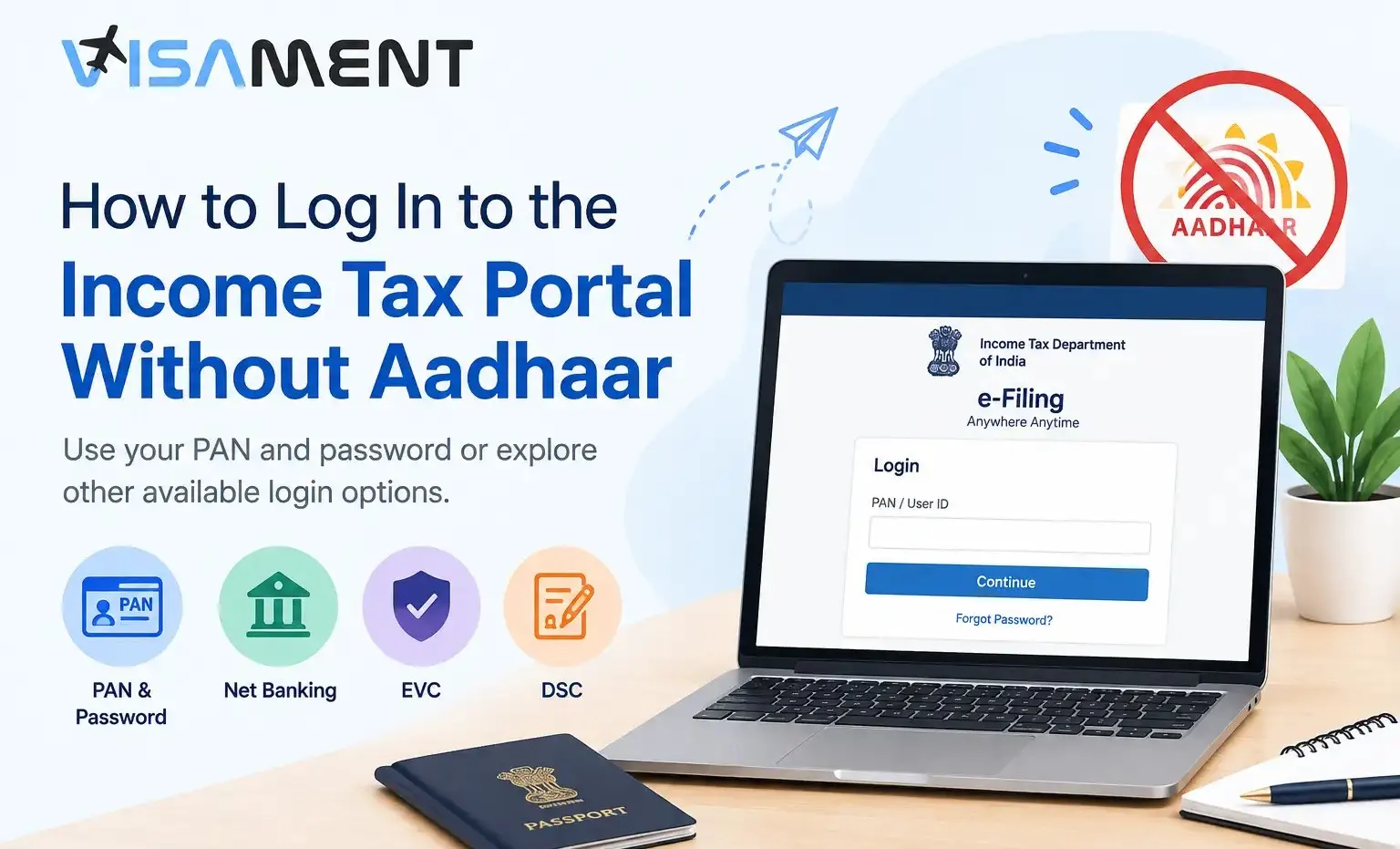
Do you need to access the Income Tax e-Filing portal but do not have an Aadhaar card or cannot receive an Aadhaar OTP? You may still be able to log in using your PAN and password or another authentication method supported by the Income Tax Department. However, your available options depend on your account settings and PAN status. This guide explains how to log in without Aadhaar authentication, reset your password using alternative methods, and understand restrictions that may apply when PAN is not linked with Aadhaar.
Yes, you can generally attempt to log in using your PAN and e-Filing password without using Aadhaar OTP. The Income Tax Department also documents alternative login methods, including net banking and certain additional authentication options.
However, logging in without Aadhaar authentication is different from having an unlinked or inoperative PAN. An individual whose PAN is not linked with Aadhaar may encounter a message stating that the PAN is inoperative, and some tax-related services may be restricted.
Your next step depends on the problem you are facing:
Follow these steps to access your Income Tax e-Filing account without starting with Aadhaar OTP authentication.
The exact steps may vary according to your account configuration and the security options enabled.
The Income Tax Department's Login User Manual provides the official instructions.
Important: A successful login does not automatically mean that every tax service is available. If your PAN is reported as inoperative, check the applicable requirements before attempting a restricted service.
 Also Want to Know About Taxation Rules for People with Dual Citizenship? Check Now!
If you cannot use Aadhaar OTP, the following options may be available, depending on your account and security settings.
The Income Tax Department supports net banking as a login method for eligible users.
For individual taxpayers, the department's manual specifies that PAN must be linked with the bank account and the user must be registered on the e-Filing portal. Net banking may also be subject to additional security settings.
An Electronic Verification Code (EVC) can serve as an additional authentication method where the relevant option is enabled.
The portal's documented higher-security login process requires the user ID and password, followed by a bank account or demat account EVC. The code is generated and received through the registered contact details associated with the relevant account.
This option is not necessarily available to every user.
A Digital Signature Certificate may be used for additional authentication when the required option is enabled.
You generally need a valid, active DSC, the required certificate setup, and the emSigner utility installed and running on your computer. Follow the official portal's instructions for selecting and using the certificate.
Non-Resident Indians (NRIs) and foreign nationals with Indian tax obligations may also need access to the Income Tax e-Filing portal. The appropriate login method depends on their account credentials, PAN status, and available authentication options.
Being an NRI does not automatically exempt a person from every Aadhaar or PAN requirement. Requirements and exemptions must be assessed under the applicable rules rather than assumed from residency status alone.
If you live overseas and cannot access your registered mobile number, check which recovery methods are available in your account. If you do not yet have a PAN or need to correct your details, consult the relevant official guidance before proceeding.
Also Want to Know About ITR Filing as an OCI on Indian Income Check Now!If you have forgotten your password, the Income Tax Department provides several recovery methods. The options displayed depend on your account settings and the prerequisites you meet.
To begin:
Depending on your account, the available options may include:
Aadhaar OTP is another supported option, but it is not the only one.
Read the official password-reset manual before choosing a recovery method. If you cannot access any of the available options, use the department's official help channels rather than relying on an unverified workaround.
Also Want to Know About Completely Different Taxation Rules for OCI Cardholder Check Now!|
Problem |
What to do |
|---|---|
|
PAN is reported as inoperative |
Review the official PAN–Aadhaar guidance and follow the applicable procedure. |
|
Password is forgotten or rejected |
Use the official Forgot Password option and select an available recovery method. |
|
Registered mobile number is unavailable |
Check whether another supported recovery option is available. |
|
Net banking login is unavailable |
Confirm that your bank is supported, your PAN is linked to the account where required, and your account meets the eligibility conditions. |
|
Repeated login attempts fail |
Stop repeated attempts, check your credentials, and follow any security message or recovery instructions shown by the portal. |
Do not share your password, OTP, or DSC credentials with an unknown person offering to unlock your account.
Stop worrying about delays. Apply now and get Indian Counsellor Services.
Chat NowYou may be able to log in to the Income Tax portal without an Aadhaar card or Aadhaar OTP by using PAN and password or another supported authentication method. If you have forgotten your password, check the official recovery options available for your account. If your PAN is reported as inoperative, address that issue separately because login access does not guarantee access to every tax service.
For accurate, up-to-date instructions, use the official Income Tax e-Filing portal and its login and password-reset manuals.
Aadhaar OTP is not the only login option. Registered users may be able to access the portal using PAN and password or another supported method, subject to account settings and applicable restrictions.
The Income Tax Department's login manual explains that users may proceed after seeing a message about an inoperative PAN. However, certain services may remain restricted. Check the official guidance for the appropriate next step.
Yes, if your account supports another recovery method and you meet its requirements. Options may include e-Filing OTP, bank or demat account EVC, DSC, and net banking.
Logging in and filing a return are separate matters. Whether you can file without Aadhaar depends on the applicable legal requirements and your circumstances. Check the latest official guidance rather than assuming that successful login establishes filing eligibility.
If your Aadhaar card shows as incorrectly linked or as mandatory, you need to validate as an NRI, which means updating your residency status on the PAN card to NRI. You can use the income tax e-filing website to validate as an NRI securely.
Here are the steps by which you can easily log in to the Income Tax website after the reactivation of your PAN card. First, log in with your regular PAN + password, then enter the OTP sent to your registered email or mobile number, and you can log in to the Income Tax portal.
Vipul Jain is the Co-Founder of Visament, a trusted platform dedicated to simplifying Indian immigration, consular, and NRI services for applicants across the globe. With extensive expertise in OCI cards, Indian passport services, visa assistance, apostille and document legalization,... See Full Bio

Talk to our documentation experts for free guidance on your application.



When you visit a website, it may store data about you using cookies and similar technologies. Cookies can be important for the basic operations of the website and for other purposes. You get the option of deactivating certain types of cookies, even so, doing that may affect your experience on the website.
It is required to permit the basic functionality of the website. You may not disable necessary cookies.
Used to provide advertising that matches you and your interests. May also be used to restrict the number of times you see an advertisement and estimate the effectiveness of an advertising campaign. The advertising networks place them after obtaining the operator's permission.
Permits the website to recognize the choices you make (like your username, language, or the region you are in). Also provides more personalized and enhanced features.
Aid the website operator to determine how the website performs, how visitors interact with the site, and whether there are any technical issues.