NRI Life & Taxation

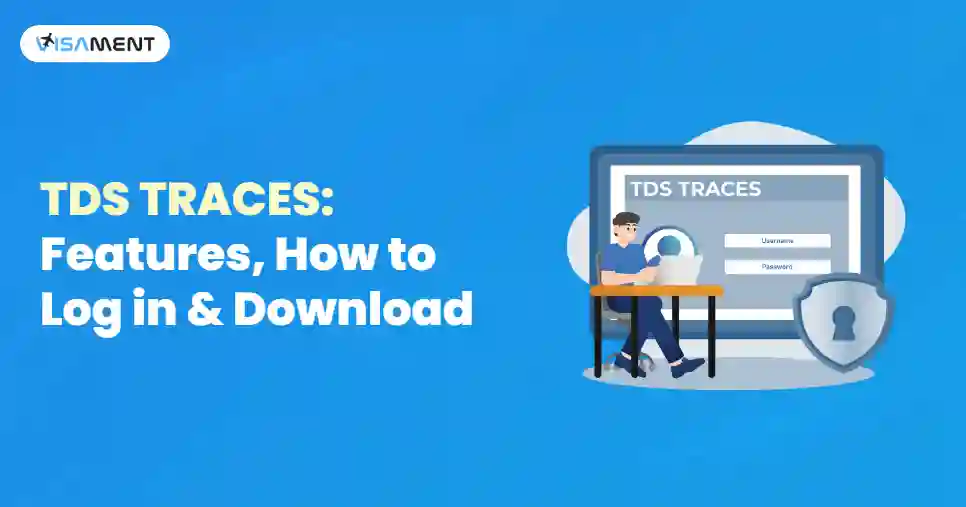
TDS TRACES: Features, How to Log in & Download

autohr img By Vipul Jain | 10 Jun, 2026 | Editorial Standard

TDS TRACES Portal

Managing Tax Deducted at Source (TDS) used to be a tedious, manual process prone to frequent delays and costly compliance errors. To streamline this, the Income Tax Department of India introduced TDS TRACES (TDS Reconciliation Analysis and Correction Enabling System). Today, this powerful online portal acts as a centralized hub where taxpayers and deductors can seamlessly track tax deductions, file quick corrections, verify tax credits, and download essential tax forms- bringing ultimate efficiency and accuracy to your tax management.

This guide explains all about the TDS TRACES, its features, and how to log in to the portal. We have also provided the benefits of TRACES for deductors and taxpayers. Learn about the key features of TDS TRACES before moving further.

Quick Link: Income Tax Dept Traces Portal

Quick Overview: TRACES Portal

  • TDS TRACES is a web-based portal by the Income Tax Department of India designed to streamline tracking, reconciling, and correcting TDS.
  • It serves both taxpayers (to verify tax credits via Form 26AS) and deductors (to file returns, manage corrections, and issue certificates).
  • The portal is the official source for downloading critical tax documents, including Form 16 (salary), Form 16A (non-salary), and Form 26AS (Tax Credit Statement).
  • Deductors can digitally correct errors (like wrong PAN or challan details) and request refunds for excess TDS deposits directly through the site.
  • Both taxpayers and deductors must register on the official portal using their PAN or TAN to access any of its features.

What is TDS TRACES?

The TRACES Full form is TDS Reconciliation Analysis and Correction Enabling System. It is a web-based application that is designed to help individuals and organizations manage their TDS deductions. It provides a structured platform for TDS deductors and taxpayers to verify, track, and reconcile tax deducted at source.

Who Uses TRACES?

The TDS TRACES is widely used by:

  • Taxpayers: To check TDS deductions, verify tax credits, and download Form 26AS.
  • Tax Professionals: To assist clients in managing TDS compliance and rectification procedures.
  • TDS Deductors (Businesses, Employers, Banks, and other Organizations): To issue Form 16 and Form 16A, file TDS returns, and make corrections.

What are the Key Features of TDS TRACES?

The Income Tax Dept TRACES portal provides various features for both the Taxpayers and the TDS Deductors. Here are the most important key features of TRACES:

1. View and Download Form 26AS

What it is: A Comprehensive, official tax credit statement linked directly to your PAN.

Why it matters: It provides a consolidated summary of all TDS, TCS, advance tax, and self-assessment tax deposited under your name, allowing taxpayers to verify that their deductions have been accurately credited.

2. Seamless Generation of Form 16 and Form 16A

Form 16: Automatically generated by employers for salaried individuals to detail the total salary earned and tax deducted.

Form 16A: Generated for non-salary transactions, such as rental income, professional fees, or contractor payouts.

Why it matters: Deductors can easily download these certified forms in bulk to distribute to employees and vendors.

3. Online TDS Statement Corrections

What it is: A digital correction utility for filed returns.

Why it matters: If a deductor accidentally inputs the wrong PAN, an incorrect deduction amount, or a flawed challan entry, they can seamlessly file a correcting statement online to ensure taxpayers get their rightful credits and businesses avoid compliance penalties.

4. Real-Time Challan Status Tracking

What it is: A verification tool for tax deposit receipts.

Why it matters: Both deductors and taxpayers can monitor the status of their TDS challans to confirm that the funds have successfully cleared and been recorded by the government.

5. Effortless TDS Refund Requests

What it is: A streamlined process to recover overpayments.

Why it matters: If a business or employer deposits excess TDS or holds unutilized challans, they can initiate a digital refund directly through the portal and track its progress in real time.

6. Automated Justification Reports

What it is: A diagnostic compliance report for businesses.

Why it matters: TRACES automatically flags discrepancies, defaults, or filing errors. Deductors can download a detailed Justification Report to instantly pinpoint what went wrong and rectify it immediately.

7. Grievance Redressal (Request for Resolution)

What it is: An integrated customer support and ticketing system.

Why it matters: If taxpayers or deductors run into errors or data mismatches, they can log an official complaint. The portal issues a tracking ticket number, making it easy to follow up until the issue is fully resolved.

What is the TDS TRACES Portal Used For?

The TDS TRACES Portal can be used for multiple TDS-related functions, including the following:

  • Viewing processed TDS statements
  • Downloading Form 16 and Form 16A
  • Downloading Form 26AS (previous versions)
  • Requesting Correction Statements
  • Checking TDS defaults and demands
  • Tracking Justification reports

It acts as a bridge between deductors, deductees, and the Income Tax Department.

Who can Use the TDS TRACES Portal?

Users of different categories can access the TDS TRACES Portal:

Deductors

  • Employers
  • Companies
  • Banks
  • Government Bodies

The deductors can use TRACES to file and correct TDS statements and issue certificates.

Taxpayers/Deductees

  • Professionals
  • Salaried Individuals
  • Busiensses

Taxpayers use TRACES to see TDS credits deducted against their PAN.

Assessing Officers

Income-tax officials use TRACES for verification and compliance monitoring.

How to Register on TDS TRACES?

To use TRACES, the users must register on the TDS TRACES Portal. The registration process is different for taxpayers and TDS Deductors.

For Taxpayers

  1. Visit www.tdscpc.gov.in and click on "Register as a new User"
  2. Select "Taxpayer" as the user type
  3. Enter PAN, name, date of birth, and contact details
  4. Set a password and then submit the registration form
  5. You will receive a confirmation link to your email and mobile number. Click on the link to activate your account

For TDS Deductors

  1. Visit www.tdscpc.gov.in and click on "Register as a New user"
  2. Choose "Deductor" as the User type
  3. Enter TAN (Tax Deduction and Collection Account Number) and other business details
  4. Enter the details of the authorized person responsible for TDS filing
  5. An activation link and activation codes will be sent through email and mobile. Use these codes to activate your account

How to Log in to TRACES?

After registering, users can log in by using the following steps: 

  1. Visit www.tdscpc.gov.in and click on login
  2. Enter user ID (PAN or TAN), password, and captcha code
  3. Click on "Go" to access the TRACES dashboard
  4. Taxpayers can see Form 26AS, while the deductors can manage TDS filings and corrections

What are the Benefits of TRACES for Deductors?

TRACES also benefits the deductors, such as employers, banks, and other organisations, who are responsible for TDS/TCS compliance.

  • Centralized TDS/TCS administration: Move away from paper-heavy compliance. Deductors can file, manage, and track all TDS/TCS returns through one unified online dashboard. 
  • Generation of TDS Certificates: Deductors can easily download Form 16 and Form 16A certificates to distribute to employees, vendors, and contractors for time provision of official tax documents.
  • Error correction and statement submission: If you have made a mistake with a PAN, amount, or challan, then you can easily rectify filing errors directly on the TDS TRACES Portal to avoid steep compliance penalties. 
  • Access to comprehensive reports: Access detailed reconciliation summaries and justification reports to monitor defaults, mismatches, and overall payment statuses.
  • Audit readiness and transparency: Digital logging of every filing, edit, and certificate creates absolute transparency, making statutory audits stress-free.

What are the Benefits of TRACES for Taxpayers?

TRACES provides many benefits for the taxpayers, making it easier to verify and manage TDS credits.

  • Real-time Tax Credit Tracking: Effortlessly view and download Form 26AS to review a consolidated breakdown of all advance tax, TDS, and TCS credited to your PAN.
  • Instant Access to Tax Forms: Quickly retrieve official Form 16 and 16A certificates whenever you need them for income tax filing or loan applications.
  • Verification and Transparency: Cross-verify that the tax deducted from your salary or invoices has actually been deposited with the government, minimizing credit mismatches.
  • Error-free ITR Filing: Having pre-reconciled tax figures in one place takes the guesswork out of filing your annual Income Tax Returns.
  • Simplified Discrepancy Resolution: If you spot an error or an overpayment, then TRACES allows you to identify the mismatches quickly and start correction requests or claim refunds smoothly.

How to Download Form 16, 16A, and Form 26AS from TDS TRACES?

Here are the steps you can follow to download the Form 16, 16A, and 26AS for deductors and taxpayers:

For Deductors: Download Form 16/16A

  1. Log in to TRACES Login portal using TAN credentials.
  2. Go to the 'Downloads' section.
  3. Select Form 16 or Form 16A and then enter the necessary details.
  4. Verify the details and submit the request.
  5. Download the TDS certificates once available.

For Taxpayers: Download Form 26AS

  1. Log in to TRACES portal using your PAN credentials
  2. Click on "View Tax Credit (Form 26AS)"
  3. Choose the relevant financial year
  4. Download the Form in PDF or Excel format

What are the Common Issues Faced During TRACES Portal Login?

Some of the users may face issues such as:

  • Password lock due to multiple failed attempts
  • Incorrect PAN/TAN details
  • Incomplete registration
  • Browser compatibility issues
  • Mismatch in verification details

You can resolve most of the issues just by resetting the password or using the helpdesk options on the portal.

Final Thoughts

Ultimately, TDS TRACES has become an indispensable asset for navigating India's evolving tax landscape. By replacing outdated manual workflows with a centralized, transparent digital ecosystem, the platform empowers both individual taxpayers and corporate deductors. From downloading critical forms like Form 26AS, 16, and 16A to managing challan verifications and corrections, TRACES drastically minimizes compliance errors.

In an era of increasingly strict tax regulations, mastering this platform is the easiest way to ensure accuracy, avoid costly penalties, and meet every deadline with confidence.

Frequently Asked Questions

No, the registration is mandatory for both taxpayers and TDS deductors to access services like downloading Form 26AS, generating Form 16/16A, and filing TDS corrections. You cannot log in or use the features of TRACES without registration.

If you forget your TRACES password, you can reset it by clicking on 'Forgot Password' on the login page. You will have to verify your identity by using PAN/TAN and registered email or mobile number before setting a new password.

Yes, you can check the refund status of your refund through TRACES. Refunds processed by the Income Tax Department can also be checked on the TIN-NSDL website or through the bank account of the taxpayer linked to their PAN.

Yes, the TRACES portal allows buyers of immovable property to download Form 16B, which is used as a TDS Certificate for property transactions. Form 16B is issued by the buyer to the seller as proof of TDS on the sale of the property.

If there are no TDS deductions in Form 26AS, you need to contact the deductor and request them to verify the TDS return filing and PAN details. If needed, they can correct the mistakes through TRACES by filing a revised TDS statement.

No, your TRACES account will not be automatically cancelled. Once registered, your account remains active. However, it can be temporarily locked if you enter the wrong login credentials multiple times, or it may become inactive if the Income Tax Department updates security protocols. You can easily reactivate or unlock it by using your registered email and mobile number.

Yes, absolutely. Taxpayers can easily view and track all their TDS payments on the portal by downloading Form 26AS (TCS). This form provides a consolidated, official summary of all TDS by your employee, bank, or buyers, ensuring your tax credits match your actual deductions.

TDS files downloaded from TRACES are usually compressed in a secure .zip format. To open them:  Extract the .zip file using any unzip software. Use the standard password format required by TRACES to open the file. If it is a raw data file, you will need to run it through the official TRACES File Validation Utility (FVU) to convert it into a readable PDF or Excel format.

Social
comunity img
Join Our Facebook Community of
NRIs/OCIs Like You
Join Community
Storage Preferences

When you visit a website, it may store data about you using cookies and similar technologies. Cookies can be important for the basic operations of the website and for other purposes. You get the option of deactivating certain types of cookies, even so, doing that may affect your experience on the website.

Essential

It is required to permit the basic functionality of the website. You may not disable necessary cookies.

Targeted Advertising

Used to provide advertising that matches you and your interests. May also be used to restrict the number of times you see an advertisement and estimate the effectiveness of an advertising campaign. The advertising networks place them after obtaining the operator's permission.

Personalization

Permits the website to recognize the choices you make (like your username, language, or the region you are in). Also provides more personalized and enhanced features.

Analytics

Aid the website operator to determine how the website performs, how visitors interact with the site, and whether there are any technical issues.