Related Blogs

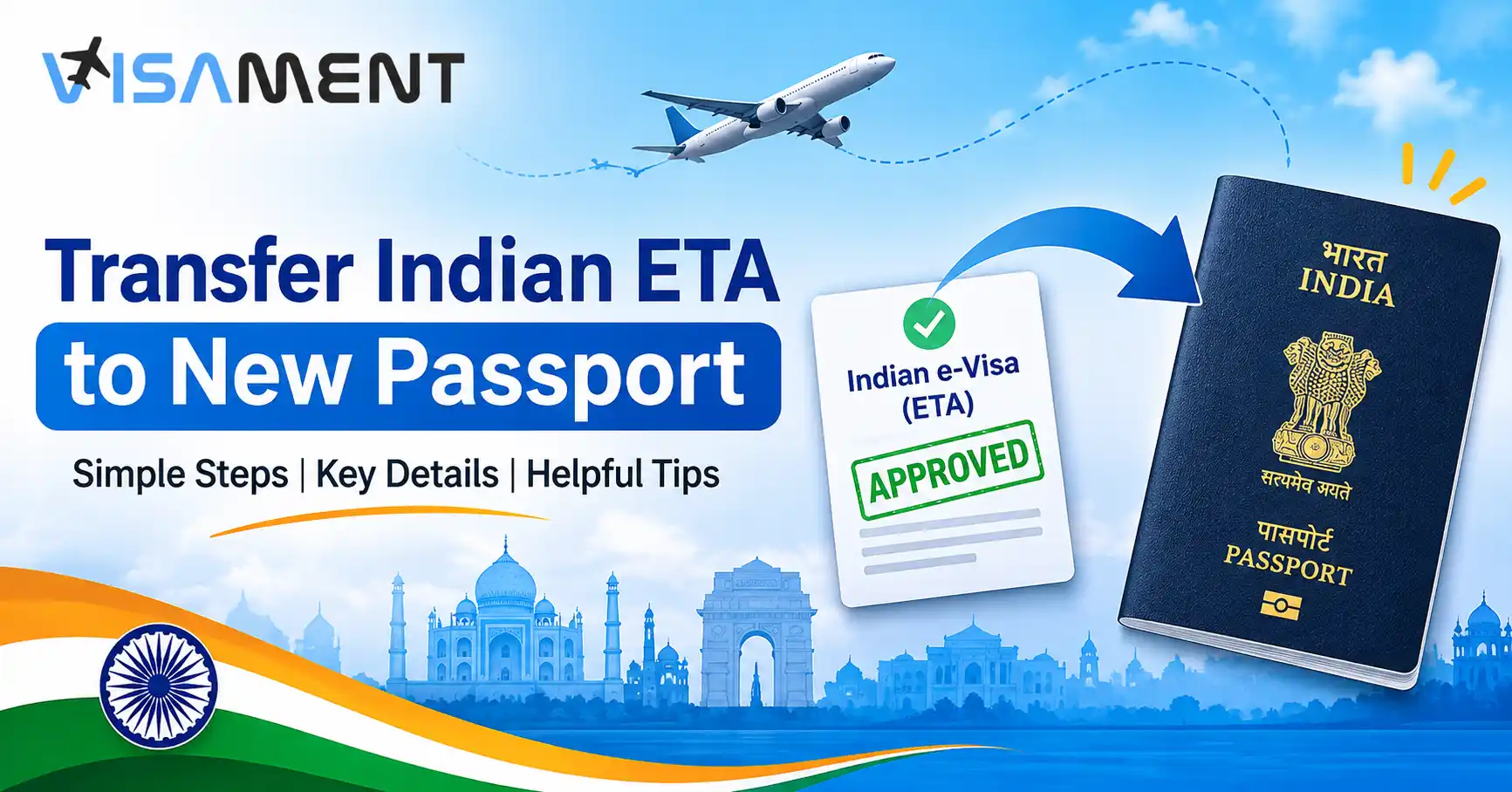
Have you received an Indian e-Visa on your old passport but recently renewed or replaced it? If your existing Electronic Travel Authorization (ETA) is still valid, you may be wondering whether you need to apply for a new e-Visa or transfer your existing ETA to your new passport.
The Government of India provides a dedicated service called "Transfer of existing ETA issued on old Passport to new Passport." Travellers may also have an alternative of carrying both their old and new passports, subject to the applicable government guidelines.
In this guide, we explain how to find the official ETA transfer service, what information to prepare, how the process works and what to check before travelling to India.
An Electronic Travel Authorization (ETA) is the electronic approval issued to an applicant after an Indian e-Visa application is approved. It contains important information associated with the traveller's visa application, including passport details.
When you renew or replace your passport after receiving an Indian ETA, the passport number and other identifying details may change. This can create questions about whether your existing travel authorization can still be used.
An Indian ETA transfer is a government-provided service that allows eligible applicants to request the transfer of an existing ETA issued on an old passport to a new passport.
The Government of India lists this facility on its official Indian e-Visa portal.
It is different from submitting an entirely new Indian e-Visa application because the service specifically concerns an existing ETA.
If your Indian ETA is still valid after passport renewal, you can explore two options:
Request an ETA transfer: Use the dedicated government service to request the transfer of your existing ETA to your new passport.
Carry both passports: The official Indian e-Visa guidance allows eligible travellers to enter India using their new passport while carrying the old passport containing the original ETA.
Check the applicable government instructions before choosing either option.
You may need to explore the ETA transfer service in the following situations:
If your previous passport has expired and you have received a replacement passport, your existing Indian ETA may still have validity remaining. You can check the official transfer facility to understand how to associate the existing ETA with your new passport.
Sometimes, travellers renew their passports while their Indian e-Visa is still valid. In this situation, the passport number on the original ETA may no longer match the details of the new passport.
The ETA transfer service is relevant to this situation.
If your passport was damaged and replaced, you may also need to address the difference between your old and new passport details.
Check the transfer service instructions to determine whether your circumstances are covered. If the old passport is unavailable, contact the official e-Visa support centre for guidance.
 Also Want to Know About India Visa Categories Reduced 2026 Check Now!
Before accessing the Indian ETA transfer service, keep the relevant travel and application information available.
The following items are useful to have ready:
Important: This is a preparation checklist, not a confirmed mandatory document list. The exact documents, eligibility conditions and information required must be checked against the live government transfer application.
Do not assume that every applicant must upload the same documents.
The Government of India has introduced a dedicated e-Visa/ETA transfer service. You can locate it through the official Indian Visa Online portal.
Follow these steps to access the service and proceed according to the current application instructions.
Open the Indian Visa Online official portal.
Always use the government website rather than an unofficial website claiming to provide direct access to the transfer facility.
On the official portal, locate the e-Visa services section.
The government lists the following service:
"Transfer of existing ETA issued on old Passport to new Passport."
Select the relevant service and proceed using the instructions displayed on the official website.
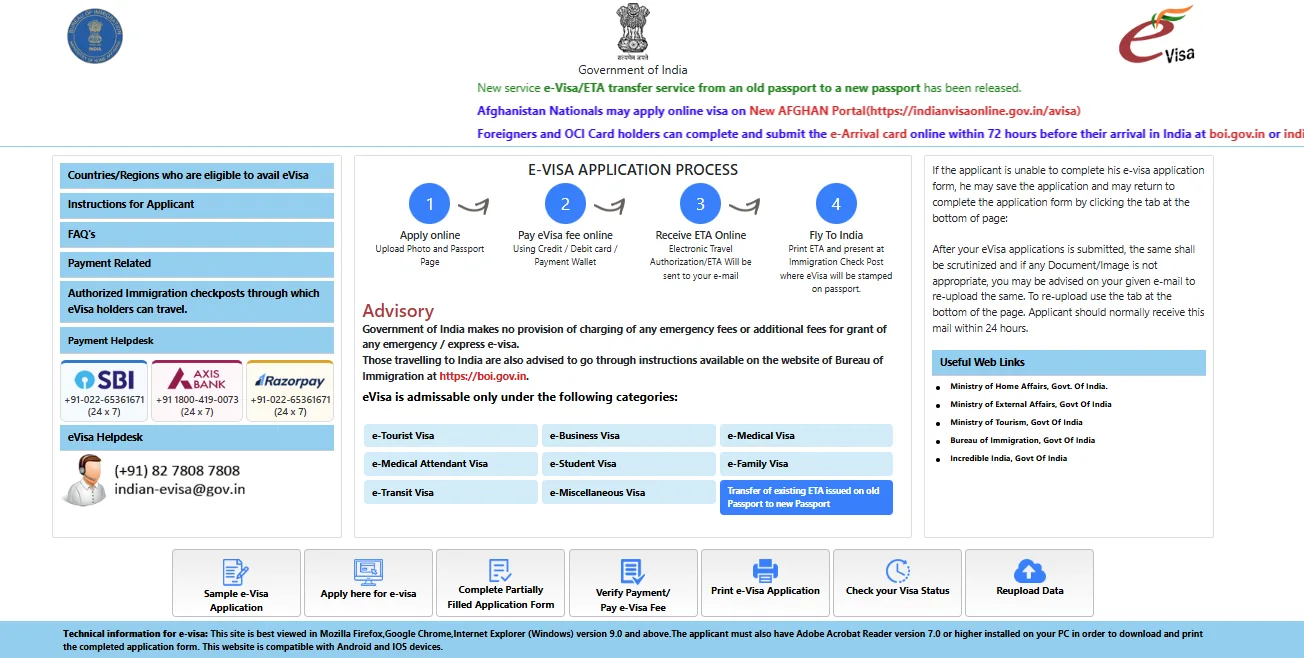
Follow the information requested in the transfer application.
Keep your original ETA and both passports available so that you can refer to the correct details while completing the application.
Check the information carefully before proceeding. Incorrect passport numbers or mismatched personal details may create problems during verification.
Upload the documents requested by the official transfer application, following its file format and size instructions.
The requirements displayed on the live application should be treated as authoritative. Do not upload unnecessary documents or rely on requirements intended for a fresh e-Visa application.
Review the information entered in the application before submitting your request.
Follow any confirmation or payment instructions displayed by the government portal. Do not assume that a particular fee or processing time applies unless it is explicitly confirmed by the official service.
Retain any acknowledgement or reference information provided after submission.
After submitting the request, use the relevant status-checking instructions provided by the official portal.
Check whether the transfer has been completed and whether the updated ETA or confirmation is available.
Do not assume that submitting a transfer request automatically means that the transfer has been approved.
| ETA Transfer | Travelling with Both Passports |
|---|---|
| Uses the dedicated government transfer service. | Uses the existing ETA issued on the old passport. |
| Requires following the transfer application instructions. | Requires carrying both old and new passports. |
| Allows eligible applicants to request an ETA transfer. | Follows the government's two-passport travel guidance. |
| Follow the portal's confirmation instructions. | Carry the original old passport containing the ETA. |
Both options are addressed by the Government of India. Choose the appropriate option based on your circumstances and the latest official instructions.
Applicants may encounter difficulties when their passport details or existing ETA information cannot be verified.
Here are some situations to consider:
If you cannot provide the old passport, contact the official Indian e-Visa support centre. Explain that your existing ETA was issued against a passport that is no longer available and ask for the appropriate procedure.
Carefully compare the details on your original ETA with both passports. If you find an incorrect name, passport number, nationality or date of birth, seek assistance from the official e-Visa support centre.
Check the application status using the official portal's instructions. If the status remains unclear, contact the government helpdesk with your application reference details.
Do not immediately submit another application. First, check the ETA transfer facility and the official two-passport travel guidance to understand the options available.
For additional information, read our guide to Indian e-Visa rules and restrictions.
Stop worrying about delays. Apply now and get Indian Counsellor Services.
Chat NowRenewing your passport after receiving an Indian e-Visa does not automatically mean you need to apply for a completely new visa.
The Government of India provides a dedicated ETA transfer facility and also addresses travelling with both old and new passports.
Before departure, verify your ETA validity and status, check the applicable government instructions and carry the required travel documents.
Need assistance with Indian visa documentation? Visament can help you understand Indian visa application requirements and documentation procedures. Explore our Indian visa services for more information.
Yes. The Indian Government provides a dedicated service called "Transfer of existing ETA issued on old Passport to new Passport" through its official e-Visa portal.
Not necessarily. The government provides an ETA transfer facility and also explains the conditions under which travellers may enter India carrying both their old and new passports.
A lost passport can complicate verification of your existing ETA. Contact the official Indian e-Visa support centre to understand the procedure for your situation.
Yes. The official Indian e-Visa portal instructs travellers to carry a copy of their ETA and verify that its status shows as GRANTED before departure.
Vipul Jain is the Co-Founder of Visament, a trusted platform dedicated to simplifying Indian immigration, consular, and NRI services for applicants across the globe. With extensive expertise in OCI cards, Indian passport services, visa assistance, apostille and document legalization,... See Full Bio

Talk to our documentation experts for free guidance on your application.



When you visit a website, it may store data about you using cookies and similar technologies. Cookies can be important for the basic operations of the website and for other purposes. You get the option of deactivating certain types of cookies, even so, doing that may affect your experience on the website.
It is required to permit the basic functionality of the website. You may not disable necessary cookies.
Used to provide advertising that matches you and your interests. May also be used to restrict the number of times you see an advertisement and estimate the effectiveness of an advertising campaign. The advertising networks place them after obtaining the operator's permission.
Permits the website to recognize the choices you make (like your username, language, or the region you are in). Also provides more personalized and enhanced features.
Aid the website operator to determine how the website performs, how visitors interact with the site, and whether there are any technical issues.