Related Blogs

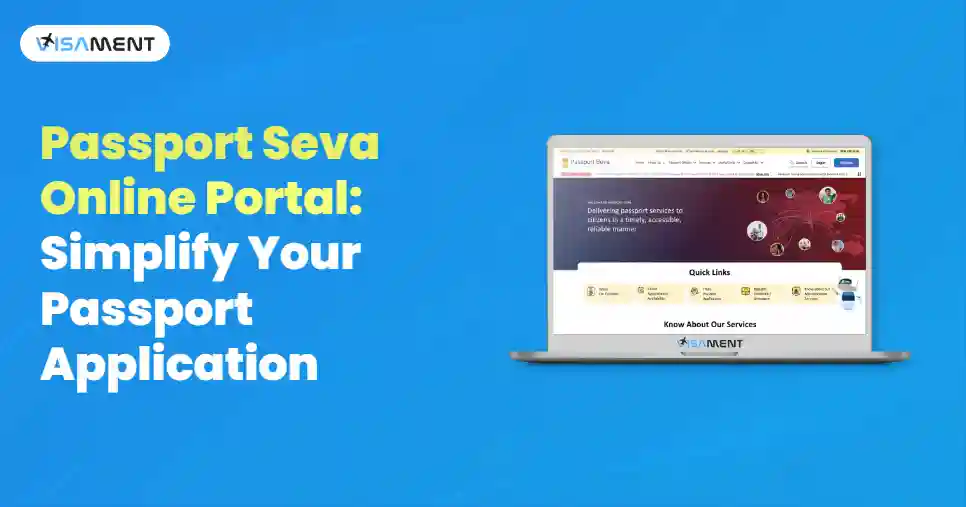
The Passport Seva Online portal is used to apply for a passport through which many of the Indian nationals get their passports.
It is a travel document that is essential for every Indian traveler for international trips. A Passport can also be used as an identification document.
However, if you are applying for a Passport application or a passport renewal application, you can get it done through the Passport Seva Portal.
In this blog, we will see all the information about the Indian Passport Seva Portal and how to register for it step-by-step.
The Passport Seva online portal has been introduced by the Ministry of External Affairs in partnership with the Tata Consultancy Services group.
It sets the best example of a public and private partnership, which helped many applicants to get their Indian passport.
The Ministry of External Affairs offers various services, including document verification, passport issuance, and safeguarding the personal and sensitive information of applicants.
Through the Passport Seva portal, you can get all the information you want related to your passport application.
Through the passport service, you can do many functions like:
You can apply for a new passport application from the Passport Seva Online Portal, but first you need to register yourself on the portal, then fill out the online application form, book an appointment, and submit the form to your nearest Passport Seva Kendra (PSK).
Say goodbye to paperwork stress! Hassle-free Indian Passport Renewal Service
Apply NowYou will need a valid Indian passport to travel internationally, and to apply for a passport, first, you need to register yourself at the online portal if you are a new user. Existing applicants don't need to register.
A passport is a valid document that you can use for identification and travel purposes.
Here are the step-by-step instructions for Passport Seva registration.
 Also Want to Know About Passport Rejection Reasons and Ways to Avoid Them? Check Now!
Mohit, a resident of India, wants to travel to a foreign country for employment purposes and needs a passport. So he applied for a passport through the official Passport Seva Portal. This website is the legal website to apply for a passport in India. So he filled out the online application by providing all the correct information, supporting documents, and paid the fees online.
After that, he booked an appointment at the nearest Passport Seva Kendra (PSK). On the day of the appointment, he visited the application centre with all the supporting documents, and submitted all the biometrics such as fingerprints, photo, and completed verification of documents. Later, the police verification was also done at his registered home address, and he tracked the application process through the online website.
After 10-12 working days, Mohit got his passport at his registered home address. This is why Passport Seva Portal is the most secure and safest way for the individual to apply for a passport application without facing any hassle or unwanted fraud.
If you want to apply for a re-issue or a fresh passport application, then you need to log in to your portal and fill out the application.
Here are the detailed steps given below to login into Passport Seva Portal online.
Make sure you go to the schedules passport Seva Kendra on the date and time to avoid any inconvenience. If you failed to reach your scheduled appointment, then you need to repeat the process.
Also Want to Know About Difference Between Regional Passport Office and Passport Seva Kendra Check Now!Recently, on June 24, 2025, the Ministry of External Affairs announced the Passport Seva Program (PSP) version 2.0, and the rollout of e-passports, which helped applications to improve efficiency and reduce chances of errors and documentation problems.
The new passport 2.0 allows for providing more security and transparency to the application and protecting their personal information by strengthening the information through a microchip, which can only be accessed through an authorized device by the government of India.
It allows for a smooth travel and quick immigration process for the applicants. It also stores biometric information of the passport holder.
Through an e-passport, the chances of fraud and unattended threats are also reduced by having a digitally secured electronic chip.
The Passport Seva online portal provides all the information and different types of services for Indian nationals who are looking to apply for a passport. Whether it is a re-issue application or a lost and damaged passport application, you can apply easily without having any hassle.
Recently, the Ministry of External Affairs has also announced a passport 2.0, which provides the applicant with enhanced security with an electronic microchip that stores all the personal information and biometric data of a passport holder.
If you want to apply for a passport, then Visament can assist you in the application process by handling all your application processes and documentation. We have years of experience with every detail of the application.
For more information, you can go to the Visament website, where we have active agents who are ready 24*7 to provide you with an instant solution related to all your queries and issues regarding passport application.
A Passport Seva portal is a website through which Indian nationals can apply for the Passport application. It is established by the Ministry of Economic External Affairs, in partnership with the government and the private Tata Consultancy Services Group.
Yes, it is a fully government-verified portal that is safe and secure, which you can use for various passport services like applying for a fresh passport application, reissuing a passport, a lost or damaged passport, download police verification certificate form, the identity certificate form, and the surrender certificate form.
The major difference between a past office and the Passport Seva Kendra is that a passport Seva Kendra are situated on a larger land mass as compared to the post office and you can see many centers in the developed cities in India with high volume and provide different types of passport services whereas, on the other side, an post office are small and only located in mostly small town and rural areas.
To renew your passport application, you should use the Passport Seva Online Portal and fill out the online application for re-issue of your passport application, and fill out the application with all documents and pay the fees. Book an appointment at the nearest Passport Seva Kendra or post office, then go to the scheduled date and time and submit all your application with original documents and wait for the processing of your passport application.
If we compare both PSK and RPO, the PSK is far better than the RPO because it provides more convenient services. It is situated in most of the cities throughout which you can submit your application and biometric information easily. In contrast, on the other side, an ROP regional passport office is only responsible for the betterment and managing the application, so do not turn more complex and issues the final document.
The passport is a mixture of private and government services; Tata Consultancy Services (TCS) and the government both handle the passport services. The TCS manages all the front-end operations of the Passport Seva online portal, and the Ministry of external affairs who established the Passport Seva online protal provide various types of functions like verification of applications. biometric submission, and passport issuance to the applicants.
Vipul Jain is the Co-Founder of Visament, a trusted platform dedicated to simplifying Indian immigration, consular, and NRI services for applicants across the globe. With extensive expertise in OCI cards, Indian passport services, visa assistance, apostille and document legalization,... See Full Bio

Talk to our documentation experts for free guidance on your application.

When you visit a website, it may store data about you using cookies and similar technologies. Cookies can be important for the basic operations of the website and for other purposes. You get the option of deactivating certain types of cookies, even so, doing that may affect your experience on the website.
It is required to permit the basic functionality of the website. You may not disable necessary cookies.
Used to provide advertising that matches you and your interests. May also be used to restrict the number of times you see an advertisement and estimate the effectiveness of an advertising campaign. The advertising networks place them after obtaining the operator's permission.
Permits the website to recognize the choices you make (like your username, language, or the region you are in). Also provides more personalized and enhanced features.
Aid the website operator to determine how the website performs, how visitors interact with the site, and whether there are any technical issues.