Applying for an OCI Card in Canada involves more than completing the online form. Applicants must determine the correct Indian Mission jurisdiction, prepare documents based on their eligibility category, complete the online OCI registration, and follow the current BLS submission and biometric requirements.
As of 2026, OCI applications in Canada must be submitted in person at a BLS Centre because biometrics are required. Postal submission is no longer accepted for OCI applications from April 5, 2026.
This guide explains the current process for applying for an OCI card from Canada, including jurisdiction, documents, biometrics, fees, submission, and status tracking.
Key Takeaways
- OCI registration is completed online through the Government of India's OCI Services Portal.
- Canadian applicants must apply through the Indian Mission responsible for their residential jurisdiction.
- From April 5, 2026, OCI applications in Canada must be submitted in person at BLS Centres for biometric enrolment.
- Supporting documents vary according to the applicant's OCI eligibility category.
- BLS International receives and processes applications administratively, but the relevant Indian Mission makes the decision on the OCI application.
- Applicants should verify the latest fee, document, and submission requirements before visiting BLS because consular procedures can change.
OCI Card Benefits for Indian Origin Canadian Citizens
- Unlimited stay: Live in India without a visa or FRRO registration, regardless of stay duration.
- Multiple entry: Enjoy lifelong, multiple-entry access to India without repeated visa applications.
- Financial benefits: Invest in India, open NRE/NRO accounts, and purchase permitted residential or commercial property.
- Work & business: Study, work in permitted private-sector roles, and conduct business in India.
- Education: Access educational opportunities generally available to NRIs.
Who Can Apply for an OCI Card in Canada?
OCI eligibility is governed by Section 7A of the Citizenship Act, 1955. The Government of India's OCI portal identifies several categories of foreign nationals who may qualify, including certain former Indian citizens, eligible children, grandchildren or great-grandchildren of qualifying Indian citizens, and certain minor children of Indian citizens or OCI-eligible persons. There are also specific provisions for eligible foreign spouses.
Eligibility can depend on the applicant's family history, former Indian citizenship, ancestry, marriage, and other circumstances. Because the rules contain specific conditions and exclusions, applicants should confirm their eligibility before beginning the application rather than relying solely on their Canadian citizenship or Indian ancestry.
For a detailed assessment, use the site's dedicated OCI eligibility requirements resource rather than treating this application guide as a complete eligibility reference.
Which Indian Mission Handles OCI Applications in Canada?
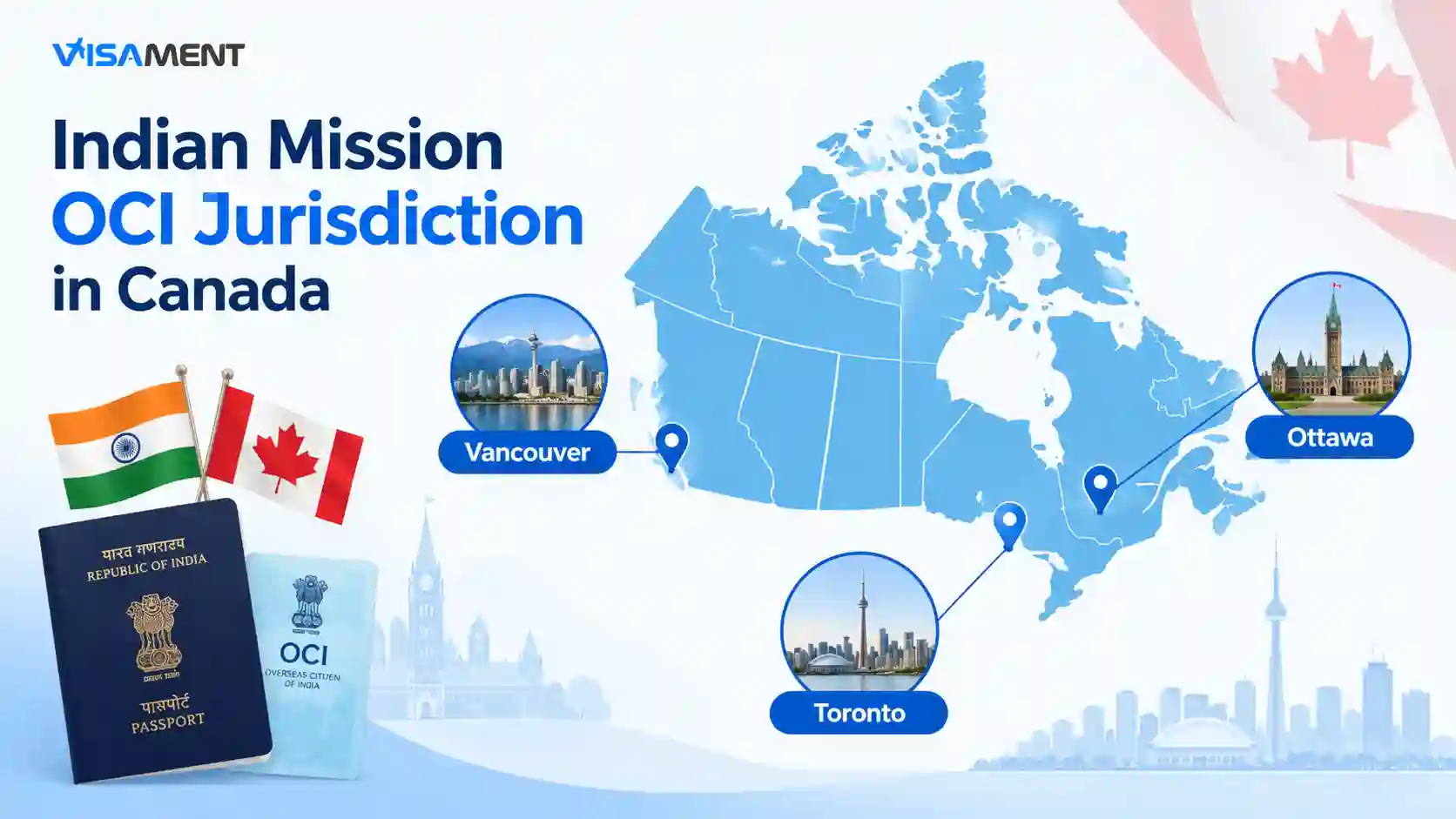
Canada is divided among three Indian diplomatic jurisdictions for consular services: the High Commission of India in Ottawa, the Consulate General of India in Toronto, and the Consulate General of India in Vancouver. Your place of residence determines the applicable jurisdiction.
| Indian Mission |
Broad jurisdiction |
| High Commission of India, Ottawa |
National Capital Region and specified areas including Kingston, Cornwall, Hawkesbury, Arnprior, Renfrew, Perth, Prescott, Brockville, Carleton Place, Smiths Falls and Morrisburg, as well as Montreal |
| Consulate General of India, Toronto |
Most of Ontario, specified areas of Quebec, Manitoba and the Atlantic provinces; certain Ontario and Quebec postal codes fall under Ottawa |
| Consulate General of India, Vancouver |
British Columbia, Alberta, Saskatchewan, Yukon and Northwest Territories |
The boundaries are more precise than simply choosing the nearest city. For example, the current Toronto jurisdiction guidance states that Ontario applicants with postal codes beginning with fall under the High Commission of India in Ottawa. It also specifies postal-code exceptions for parts of Quebec.
Check your residential postal code against the current jurisdiction guidance before submitting the OCI application.
What is the OCI Card Application Process in Canada?
Step 1: Confirm Your OCI Eligibility
Before registering, determine which OCI eligibility category applies to you. Your supporting documents will depend on that category.
For example, a former Indian citizen may need evidence connected to previous Indian citizenship, while an applicant claiming eligibility through Indian ancestry may need documents establishing the relevant family relationship.
Step 2: Register and Complete the OCI Application Online
OCI registration is completed through the Government of India's OCI Services Portal. The current registration page instructs applicants to enter their names as shown on their passport, provide their date of birth, nationality, mobile number, and an active email address. Applicants are also instructed to enter information according to their current passport.
Take care when entering personal information. Check names, dates, passport details, and other identifying information against your current Canadian or foreign passport before proceeding.
Step 3: Upload Your Documents, Photograph and Signature
The OCI portal requires applicants to upload supporting documentation. The exact documents depend on the eligibility category and personal circumstances.
The Government of India's identifies a valid current passport, citizenship or naturalization evidence, applicable surrendered Indian passport/Surrender Certificate documentation, and proof of address among the supporting-document categories.
Photograph and signature requirements must also be followed according to the current OCI specifications.
Step 4: Attend BLS for In-Person Submission and Biometrics
This is an important change for applicants in Canada.
From April 5, 2026, all OCI applications in Canada must be submitted in person at BLS Centres because biometrics have to be provided. OCI applications by post are not accepted.
Applicants should therefore not rely on older Canadian OCI instructions that describe postal submission. Before attending BLS, check the current instructions for the relevant jurisdiction, including appointment and document-submission requirements.
The Government of India's OCI states that biometric capture for OCI registration is mandatory, subject to the stated exemptions and technical circumstances.
Step 5: Submit Your Documents and Pay the Applicable Fees
At the BLS Centre, the application and supporting documents are received and processed according to the applicable consular procedure.
BLS International acts as the outsourced service provider for receiving applications, collecting prescribed fees, and transmitting applications to the relevant Indian Mission. BLS does not decide whether an OCI application is granted or refused. The decision rests with the relevant Indian Mission.
Step 6: Track Your OCI Application
After submission, applicants can monitor the application through the official OCI status enquiry system.
The OCI system uses the Application ID and passport number for status enquiry. Keep your application details available after submission so you can check for updates when necessary.
For detailed status explanations, see the site's dedicated OCI application status guide.
Documents Required for an OCI Application in Canada
The exact checklist depends on the basis on which you qualify for OCI. Applicants should therefore use the checklist applicable to their jurisdiction and eligibility category.
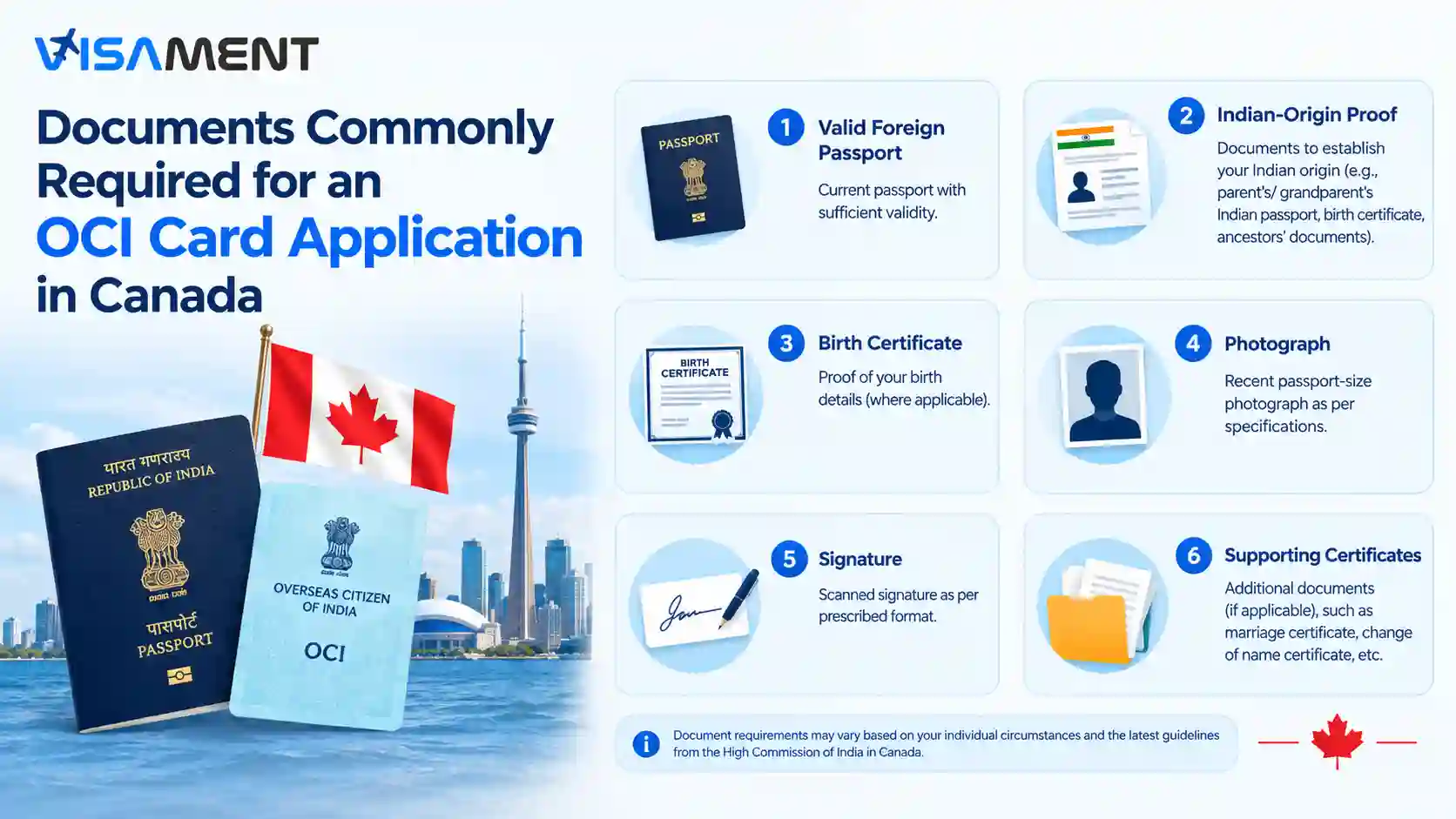
Common document categories can include:
- Current valid foreign passport
- Canadian citizenship or naturalization certificate, where applicable
- Cancelled or surrendered Indian passport and Surrender Certificate, where applicable
- Proof of Canadian residential address
- Documents establishing Indian origin or ancestry, where the application is based on descent
- Birth certificates and relationship documents where required to establish ancestry
- Marriage-related documents for applications based on qualifying spouse eligibility
- Additional documents for minor applicants
- Required photograph and signature
- Any additional documents specified by the relevant Indian Mission or BLS checklist
The official OCI states that a valid passport and citizenship/naturalization evidence are applicable in all cases, while surrendered Indian passport and Surrender Certificate documentation applies to applicants who surrendered an Indian passport in or after 2010. It also lists evidence of address among the supporting documents.
Because document requirements can differ according to the eligibility route, applicants should not assume that another applicant's checklist will apply to them.
OCI Fees in Canada
OCI fees should be checked against the current BLS and applicable Indian Mission fee schedule immediately before submission.
For example, the current BLS information published for Canadian jurisdictions lists a new OCI registration fee of CAD $371 plus a CAD $5 ICWF charge, with BLS processing and applicable courier charges additional.
Fees and service charges can change, and different services such as OCI miscellaneous services can have different charges. Therefore, do not rely on an old fee mentioned in an article, checklist, or forum post.
What Happens After You Submit the OCI Application in Canada?
After the application and documents are submitted, the application goes through the applicable verification and processing stages. The relevant Indian Mission is responsible for the decision.
Processing time can vary depending on the application, document completeness, previous passport or citizenship records, and other circumstances. No private service can guarantee OCI approval or a specific processing time.
If additional information or documentation is required, follow the instructions provided through the applicable official channel.
Common OCI Application Mistakes in Canada
A few avoidable errors can create problems during the application process:
- Selecting the wrong Indian Mission based only on the nearest city rather than residential jurisdiction.
- Entering passport details incorrectly.
- Using names or dates that do not match supporting documents.
- Omitting citizenship or naturalization evidence.
- Providing incomplete ancestry or relationship documentation.
- Uploading photographs or signatures that do not meet the applicable specifications.
- Assuming that postal submission is still available after the April 5, 2026 biometric requirement.
- Arriving at BLS without the documents required for the relevant eligibility category.
- Assuming BLS makes the final OCI decision.
- Attempting to correct a submitted application informally.
Applicants should review the complete application before final submission because correcting an online OCI application after submission may require following specific instructions from the relevant Mission or submitting a new application. Current BLS jurisdictional guidance should be checked if an error is discovered.
How to Track an OCI Application in Canada?
OCI applicants can use the official OCI status enquiry system to check their application status. The status enquiry process requires the Application ID and passport number.
Keep the application details and passport information available after submission. If the status does not change for some time, applicants should avoid assuming that the application has been rejected or approved solely from the absence of a new update.
Conclusion
The OCI Card Application in Canada starts online but is completed through a jurisdiction-specific submission process. Applicants should first confirm eligibility and identify the correct Indian Mission, then complete the OCI registration, prepare category-specific documents, and attend the applicable BLS Centre for in-person submission and biometrics.
The most important current change for Canadian applicants is that OCI applications submitted from April 5, 2026 must be submitted in person at BLS Centres; postal submission is not accepted.
Because OCI requirements, fees, and operational instructions can change, verify the latest Government of India, Indian Mission, and BLS guidance immediately before submitting your application.


_1745908515.webp)