Preparing documents for an Overseas Citizen of India (OCI) application can be confusing when you are unsure where to sign, what to write on photocopies, or whether notarization is necessary. Self-attestation requirements depend on the document, application category, and jurisdiction.
This guide explains how to prepare self-attested documents, provides an illustrative attestation format, and highlights the checks you should complete before submitting your OCI application.
Key Takeaways
- Check the latest OCI document checklist for your application category and location before signing any copies.
- Follow the prescribed instructions for signature placement, attestation wording, and page-level requirements.
- Self-attestation, notarization, and apostille are different procedures.
- Some OCI checklists specifically require self-attested copies of supporting documents.
- Minor applicants may have additional parental authorization or signature requirements.
- Check whether signed copies must be uploaded online, submitted physically, or provided through both methods.
What Does Self-Attestation Mean for OCI Documents?
Self-attestation generally means signing a document copy or making a declaration confirming that the copy is genuine, where the relevant authority accepts this procedure.
For an OCI Card application, the purpose is to help establish that a submitted copy corresponds to the document it represents. However, applicants should not assume that every supporting document requires self-attestation or that one format applies to all applications.
The Government of India's OCI Services Portal explains the supporting documents required for OCI registration. Applicants submitting through an authorized service provider should also check the provider's current checklist for their specific application category.
The key is to distinguish general document-preparation practices from mandatory instructions issued by the relevant Indian mission or application centre.
How to Self-Attest Documents for an OCI Application
Follow these steps to prepare your documents correctly.
Step 1: Check the Official OCI Checklist
Before signing any photocopies, identify your application category. Requirements may differ for fresh OCI registration, applications by former Indian citizens, minor applicants, foreign-spouse applicants, and OCI miscellaneous services.
Read the checklist applicable to your country and consular jurisdiction. Identify which documents require self-attested copies, whether additional authentication is necessary, and whether originals must be presented for verification.
For applicants in the USA, consult the official VFS Global OCI information page and select the relevant application category.
Step 2: Prepare Clear and Complete Copies
Make legible copies of the documents requested in your checklist. Ensure that names, document numbers, photographs, dates, and other relevant details are visible.
Check both sides of a document when the checklist requires them. Do not crop important information or omit pages specifically requested by the relevant authority.
For example, if a checklist requires a copy of a residence permit or identification card showing information on both sides, prepare a complete copy rather than submitting only the front.
Step 3: Sign the Copy as Instructed
Where self-attestation is required, follow the applicable instructions for signing the copy. Check whether the authority specifies a particular location, declaration, signature style, or page-level requirement.
Do not assume that signing the first page automatically covers every page of a multi-page document. Likewise, do not add signatures to every page unless the instructions require or permit that approach.
Use the applicant's appropriate signature according to the applicable requirements. For documents belonging to a minor, check the specific instructions regarding the child's signature and the role of a parent or guardian.
Step 4: Add an Attestation Statement or Date if Required
Some document instructions may specify particular wording or a declaration. If a prescribed format is available, follow it instead of substituting your own wording.
Where no particular wording is prescribed and self-attestation is accepted, a simple statement confirming that the copy is true to the original may be suitable.
Do not assume that a date or a particular sentence is mandatory for every OCI document. The relevant checklist takes priority.
Step 5: Scan and Organize the Signed Copies
After preparing the documents, check that the signatures and required information are visible. Save or scan the copies in the file format and size specified by the application instructions.
Make sure the pages are correctly oriented and readable. Keep the files organized by document type so you can match each upload to the appropriate field.
Finally, verify whether the application process also requires physical copies or presentation of original documents.
What Should You Write on a Self-Attested OCI Document?
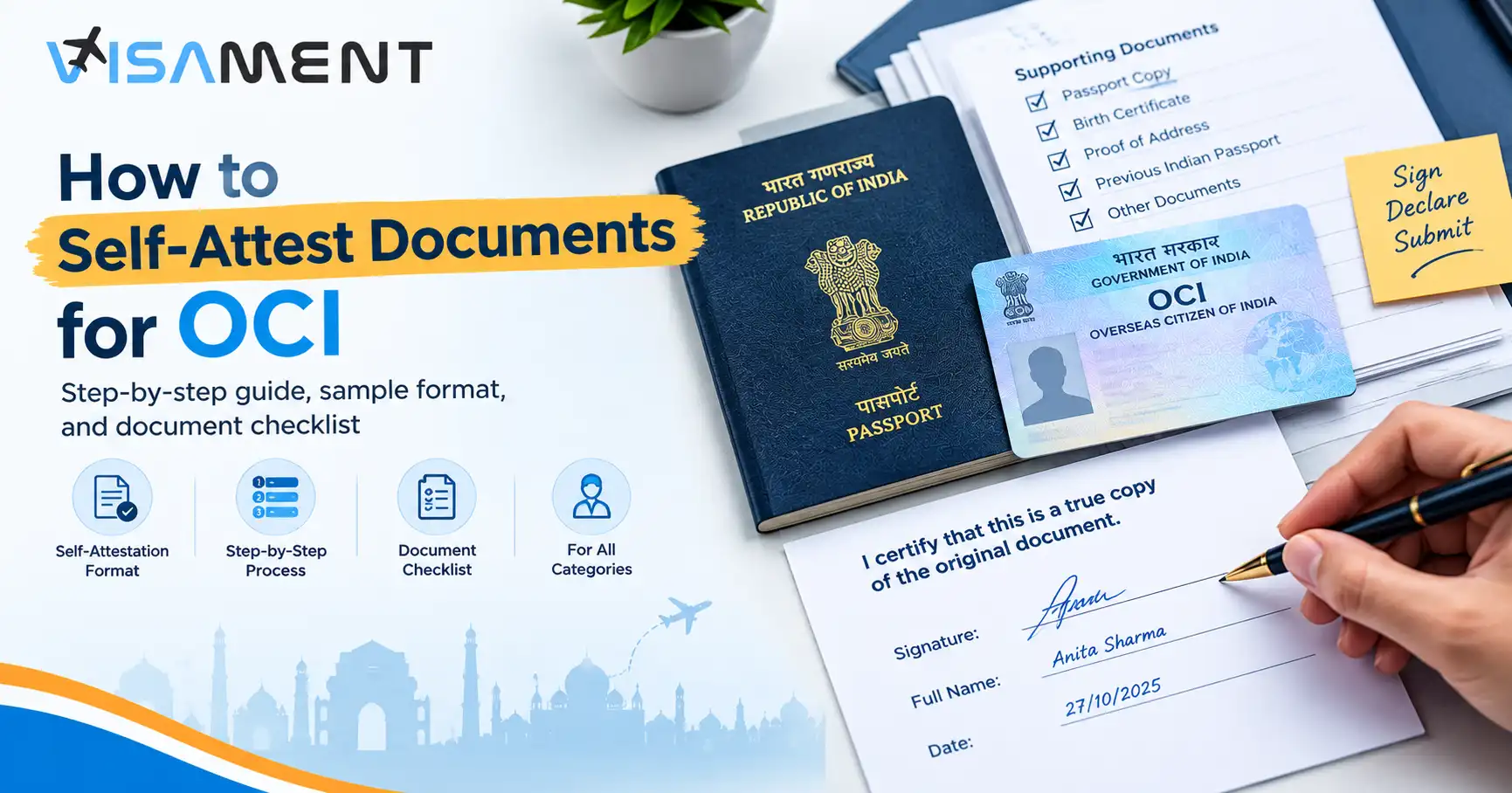
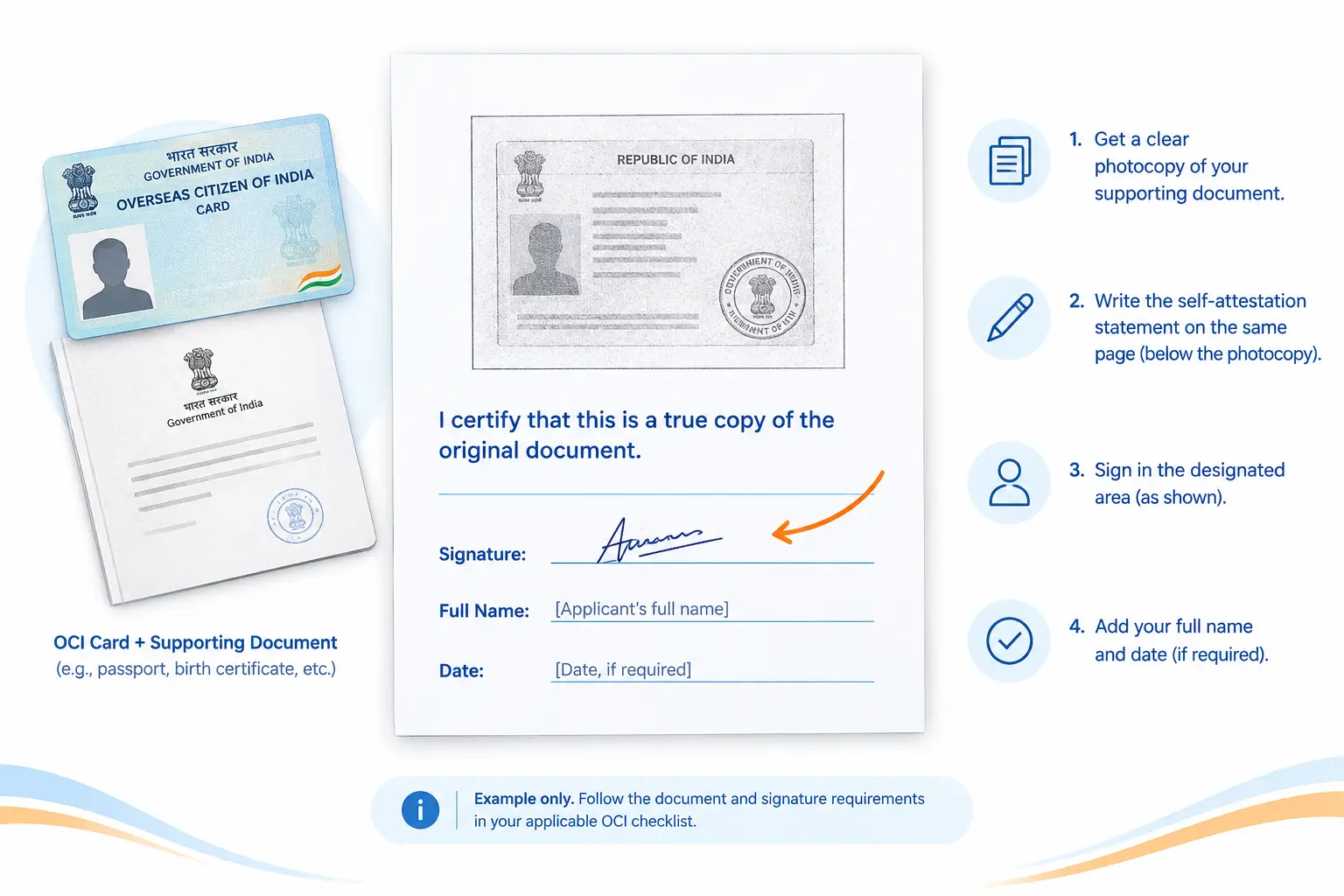
If the applicable instructions do not prescribe specific wording and self-attestation is accepted, the following is an illustrative example:
Self-attestation example
I certify that this is a true copy of the original document.
Signature: [Applicant's signature]
Name: [Applicant's full name]
Date: [Date, if required]
This example is not a universally prescribed OCI format. Use the wording and signature requirements specified by the relevant Indian mission or authorized application service provider whenever they provide a prescribed format.
A separate affidavit or declaration may have different requirements. Do not use this example as a substitute for a required notarized affidavit or other official document.
Which Documents May Need Self-Attestation for OCI?
The documents requiring self-attestation depend on the applicant's circumstances and the applicable checklist. The following examples illustrate document types that may be relevant.
|
Document type
|
What to check
|
|
Current foreign passport
|
Whether a self-attested copy is requested and which pages must be supplied.
|
|
Citizenship or naturalization certificate
|
Whether a self-attested copy, certified copy, or another formality is required.
|
|
Proof of address
|
Whether the selected document is acceptable and whether it must be self-attested.
|
|
Previous Indian passport or surrender certificate
|
Which copies and supporting documents are required for the applicant's category.
|
|
Birth or marriage certificate
|
Whether the document needs self-attestation, translation, apostille, or other authentication.
|
|
Parent's or spouse's documents
|
Whether supporting copies are required and who must sign them.
|
|
Employment or education evidence
|
Whether the relevant checklist requests self-attestation for the specific document.
|
These are examples, not a complete or universal checklist. The presence of a document in this table does not mean that self-attestation is always required.
For instance, the US-specific VFS Global checklist for certain OCI application categories expressly identifies particular supporting documents that must be self-attested. It also distinguishes between document copies and additional formalities required for particular certificates. Review the current US OCI checklist rather than relying on a generic list.
Do You Need to Self-Attest Every Page?
Not necessarily. Whether every page must be signed depends on the applicable document instructions.
Check whether the checklist requires a complete document copy, specific passport pages, both sides of an identification card, or a signature on each page. Do not assume that one signature always covers an entire multi-page document.
When preparing passport copies, preserve the pages and endorsements required by the checklist. For certificates and other supporting documents, make sure the complete information needed for verification is visible.
If the instructions are unclear, consult the relevant Indian mission or authorized service provider before submitting the documents. This is safer than relying on a general rule that may not apply to your application.
Self-Attestation for a Minor's OCI Application
Documents for a minor's OCI application may involve additional requirements. Parents or guardians should check the minor-specific checklist to determine who must sign the relevant documents and whether parental authorization or a separate declaration is required.
Do not automatically apply the same signature procedure used for adult applicants to a child's documents. The appropriate process may depend on the child's age, the document type, and the application category.
For applicants using VFS Global in the USA, review the applicable minor document checklist and parental authorization requirements on the official OCI information page.
Self-Attestation vs. Notarization vs. Apostille
Self-attestation, notarization, and apostille are different procedures. One does not automatically replace another.
|
Method
|
What it generally means
|
|
Self-attestation
|
The applicant signs or declares a copy as genuine where the procedure is accepted.
|
|
Notarization
|
A notary performs a notarial act according to the applicable legal requirements.
|
|
Apostille
|
A certificate authenticates the origin of certain public documents for international use under the applicable convention framework.
|
A document may require one of these procedures or additional formalities, depending on its type and the applicable rules.
For example, the Government of India's OCI portal explains that certain foreign-issued birth and marriage certificates may require apostille or other authentication, depending on the issuing country's status under the relevant convention framework.
A self-attested photocopy does not eliminate a separate authentication requirement when the applicable instructions specifically call for it. Always check the requirements for the particular document.
Common Self-Attestation Mistakes to Avoid
Before submitting your OCI documents, check for these common preparation errors:
- Missing signatures: A document requiring self-attestation has not been signed as instructed.
- Incomplete copies: Required pages or the reverse side of a document are missing.
- Illegible scans: Names, document numbers, signatures, or other important details cannot be read.
- Incorrect wording: A generic statement has been used instead of a prescribed declaration.
- Unverified authentication requirements: A document requiring notarization, apostille, or translation has only been self-attested.
- Incorrect applicant details: Names or other information do not match the relevant passport or supporting records.
- Confusion about originals: An applicant submits a copy when the instructions require an original for verification, or submits an original where a copy is requested.
Incomplete or nonconforming documents may be returned or lead to processing delays. The safest approach is to compare every document against the current checklist before submission.
Final Checklist Before Submitting OCI Documents
Use this checklist as a final review:
- I have selected the correct OCI application category and jurisdiction.
- I have checked the latest official document checklist.
- Every required document copy is complete and legible.
- I have signed the documents for which self-attestation is required.
- I have followed the specified wording and page-level instructions.
- I have checked whether notarization, apostille and translation is required.
- My scanned files meet the applicable upload specifications.
- I have confirmed whether physical copies or original documents must also be submitted.
The Government of India and the relevant Indian mission or authorized service provider should be your final reference for document-preparation and submission requirements.
Chat to Support on WhatsApp
Stop worrying about delays. Apply now and get Indian Counsellor Services.
Chat Now Conclusion
To self-attest documents for OCI, begin by checking the correct official checklist, prepare complete and legible copies, and follow the prescribed signature and declaration instructions. Do not assume that every document requires the same wording or that self-attestation replaces notarization or apostille.
Because requirements can differ by application category and jurisdiction, verify the latest instructions before uploading or submitting your documents. Careful preparation can help you avoid preventable document deficiencies and make the submission process more straightforward.