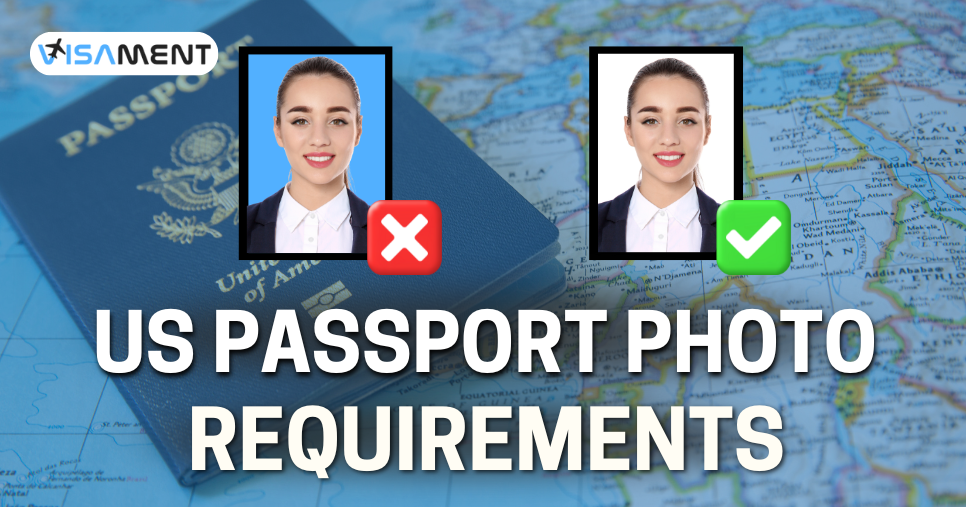
Applying for a UK passport requires the correct submission of all the documents, including a photo. For a passport, you need to provide a valid photo following all the specifications of passport photo rules.
Most of the applicants applying for a UK passport do not know the correct passport photo rules, which leads to delays or rejection in their passport application.
In this log, we will see all the UK passport photo requirements, along with all the details such as background, size, photo quality, etc.
Quick Link: UK passport photo checker online free
Quick Overview: UK Passport Photo Requirements
- Your printed photo should be of size 45 x 35 mm with a face height of 29- 34 mm.
- For the digital photo, you need to provide a 600 x 75 pixel photo with a size of 50 KB - 10 MB.
- A passport photo should have a plain white or light-coloured background.
- The applicant should have a neutral facial expression while clicking the UK Passport photo.
What are UK Passport Digital Photo Requirements?
If you are planning to apply for a British passport, then you must provide the correct passport photo requirements, which are:
- Your passport should be of the proper size and dimensions.
- The photo must be high quality.
- The photo should have a light colored background.
- The applicant has a neutral facial expression.
- Eyes must be open, with the head straight.
- Only permitted head coverings for religious or medical reasons are allowed.
- No heavy makeup is allowed.
- Wear casual clothes for the photo.
- Lighting must be clear and in focus with high picture quality.
What are the UK Passport Photo Online Guidelines?
Here are some of the guidelines for the UK passport picture requirements according to the passport photo rules.
UK Passport Photo Size and Ratio
Given below are the UK printed passport photo requirements:
- 45 mm height and 35 mm wide.
- The photo must be printed on high-quality paper with no borders included.
- 29 mm to 34 mm from chin to crown.
Requirements for the digital passport photo:
- UK passport photo size in pixels must be a minimum of 600 pixels wide, with 750 pixels in height.
- The size of the photo must be between 50 KB and 10 Mb.
- The digital photo must be colourful.
Both physically printed and digital photos should have full head-to-shoulder coverage with a clear and high-quality image.
British Passport Photo Background Requirements
The passport photo requirements UK must have a clear, plain white or light background. Most of the passport applicants misunderstood this, resulting in the rejection of their passport application.
Here are some of the mistakes that many applicants make in their passport photo rejection, such as:
- If the photo includes any textures, patterns, or a coloured background.
- When the photo has any visible furniture or any object in the background.
- If there are shadows visible in the photo background.
- If the background does not contrast clearly with the face.
Make sure you are taking a photo in a proper white plain or light-coloured background with proper lighting.
Facial Expressions
A passport applicant should have a neutral facial expression in a photo. It means
- No teeth visible.
- Most must be closed.
- Lips should be together.
- No smile while clicking a photo.
- No raised eyebrows or exaggerated expressions.
- Make sure your face is in a relaxed position.
The no-smile rule is included in the passport photo rules for the UK because there passport are biometric.
UK Passport Photo Requirements: Hair, Eye, and Head Photo
Given below are some of the positions and UK passport photo requirements.
- Your eyes must be open and visible clearly.
- You should look into the camera while clicking the photo.
- Do not move your head. It should be straight.
- Keep your hair away from your eyes or face.
- Avoid red-eye, and use flash.
Glasses Rules for UK Passport Photo
Wearing glasses for a passport photo is not allowed unless you have a medical reason. Not wearing glasses helps to avoid the reflection and glare in a photo.
- Your eyes must be clearly visible.
- There is no glare or reflection in the photo.
- The lens should not be tinted.
- The glasses frame should not cover your eyes.
Head Coverings for the Passport Photo
Generally, for medical and religious reasons, you can wear a head covering for a passport photo in the UK. Just make sure your face is visible in your photo from the chin to the tip of your shoulder.
Some of the following head coverings are not allowed, as listed below.
- Fashionable hats or caps
- Scarves
- Any decorative headbands
- Hoods
- Any object or accessories that hide or cover your face
UK Passport Photo Requirement for Clothing and Accessories
- Wear casual everyday clothes
- Avoid uniforms
- Select clothes according to the matched with background
- Avoid white tops with plain light backgrounds
- Remove any unnecessary accessories if you have them
- Avoid wearing big necklaces, earrings, or hair clips
Makeup for UK Passport Photo
You can apply minimal makeup, but you shouldn't apply heavy makeup. Makeup can cause complications during face recognition checks or human review.
UK Passport Photo Light and Quality
The photo for a UK passport must be:
- Light could be clear and focused.
- Make sure the light does not create any shadows.
- Do not apply any filter to the photo or modify it through any editing software.

Also Want to Know About
Visa Free Countries With UK BRP Check Now!
UK Passport Photo Requirements for Baby
The passport photo rules for the baby are more flexible, which are applied by the HMPO.
For babies under 1 year old:
- Put the baby on a plain, light coloured fabric.
- Take a photo from above.
- There is a need to get the baby's eyes open.
- Make sure there are no toys or bottles visible while taking a photo.
- You can support the baby's head, but your hand should not be visible.
For the child under the age of 6 years:
- They are not required to look at the camera.
- No mandatory facial expression.
- The child should be shot against a plain white background.
For the children above 6 years of age:
- For the same photo rule will be applicable, which is applied for adults.
Can I Click a UK Passport Photo at Home?
Yes, you can click a photo at home through your personal mobile phone or any digital camera. For the photo, you will need another person which an click you, following all the UK passport photo requirements.
Here are some of the passport picture requirements mentioned below:
- You should look into the camera while taking the picture.
- Make sure you have a plain and neutral expression.
- Make sure your eyes are open, and moth are closed.
- Do not wear a head covering except for medical or religious reasons.
- Make sure your face is visible and avoid any coverings or accessories.
What are the Common Reasons for Passport Photo Rejection?
Here are some of the common rejection which an applicant gets while clicking the passport photo.
- Reason: Photo which clicked more than 1 month ago can lead to the rejection of your passport application.
- How to avoid: You can use a fresh photo to avoid getting your passport photo.
- Reason: Incorrect background in the photo.
- How to avoid: Use a simple, plain white background or a light-coloured background.
- Reason: The photo has a reflection or glare of the glasses you are wearing.
- How to avoid: Remove the glasses if possible.
- Reason: Smiling in the Passport photo with a non-natural expression.
- How to avoid: Just keep your face relaxed, with a neutral expression, mouth closed, and eyes
- Reason: Having shadows in the Passport photo.
- How to avoid: Click the photo in a light-coloured background, or in natural light.
- Reason: if you have a large or small head in the passport photo, then it can lead to rejection.
- How to avoid: Make sure you have checked the cropping and framing of the photo.
- Reason: Providing a photo with incorrect dimensions and sizes.
- How to avoid: Provide a photo with correct dimensions, such as 15 x 35 mm for a print photo and 600 x 75 pixels for the digital passport photo.
- Reason: Submitting a blurred or incorrect photo for the passport application in the UK.
- How to avoid: Click a high-resolution photo with a clear head and face looking.
- Reason: You have cropped the photo too tightly.
- How to avoid: Your shoulders, head, and neck should be clearly seen in the passport photo.
Conclusion
If you are applying for a UK passport, then you must meet all the UK passport photo requirements, which are an essential part of the application process. Providing a correct photo is essential for the application process, as UK passports are recognized through biometrics and facial recognition. For passport photo assistance, you can also take help from the Visament website, which will help you to get your application processed, reducing all the chances of errors or mistakes.